Drafted for review. Last source review: 11 October 2026. No affiliate links are used in this article.
Editorial scope: This is a desk review based on Workiz's official product, features, pricing and FAQ pages. It is written for UK tradespeople and small service businesses. I have not opened a Workiz account, run a live job, tested the mobile app, or processed a payment. Where the UK fit is uncertain, that uncertainty is part of the review.
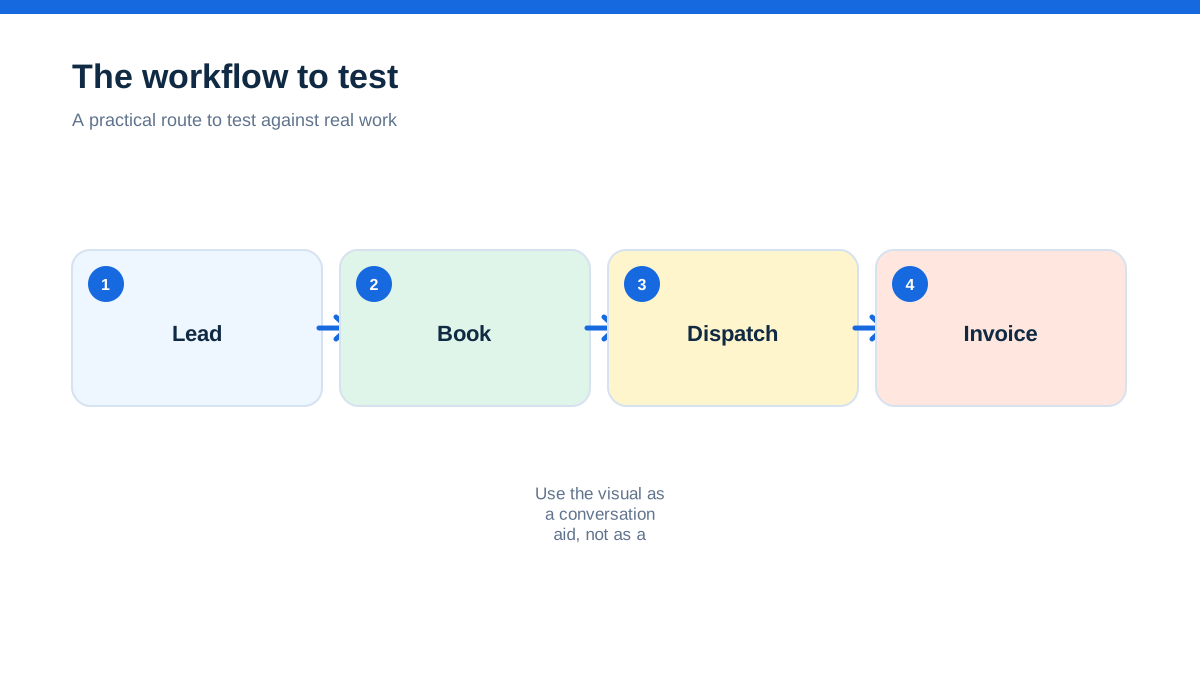
If you run a plumbing, heating, electrical, decorating, cleaning, locksmith, landscaping, repair or other mobile service business, the appeal of field service software is easy to describe. It promises to bring leads, appointments, job notes, quotes, invoices, messages and payments into one place.
The difficult question is not whether one platform has a long feature list. It is whether that platform matches the way your business actually wins work, travels to customers, prices jobs, stores records and gets paid.
Workiz looks like a serious field service platform with scheduling, dispatch, estimates, invoices, a mobile app, customer records, online booking, automations, communications, payments and integrations. Its official site presents the product as software for home service businesses, with plans called Standard, Pro and Ultimate.[1][2] The important UK caveat is that Workiz's homepage describes its customer base as home service professionals in the United States and Canada, and the pages reviewed do not publish UK-specific pricing or a clearly UK-focused product promise.[1]
That does not make Workiz unsuitable for Britain. It does mean a UK owner should treat this as a product to qualify carefully, not a plug-and-play local recommendation.
When the phone rings while you are under a sink
Picture a Tuesday when you are diagnosing a leak, your phone is wet and a new customer wants a price and arrival window. You promise to call back, then search messages for the postcode, move two appointments and send an invoice from another tool. None of those jobs is difficult. Together, they create the invisible drag that makes a small service business feel permanently behind.
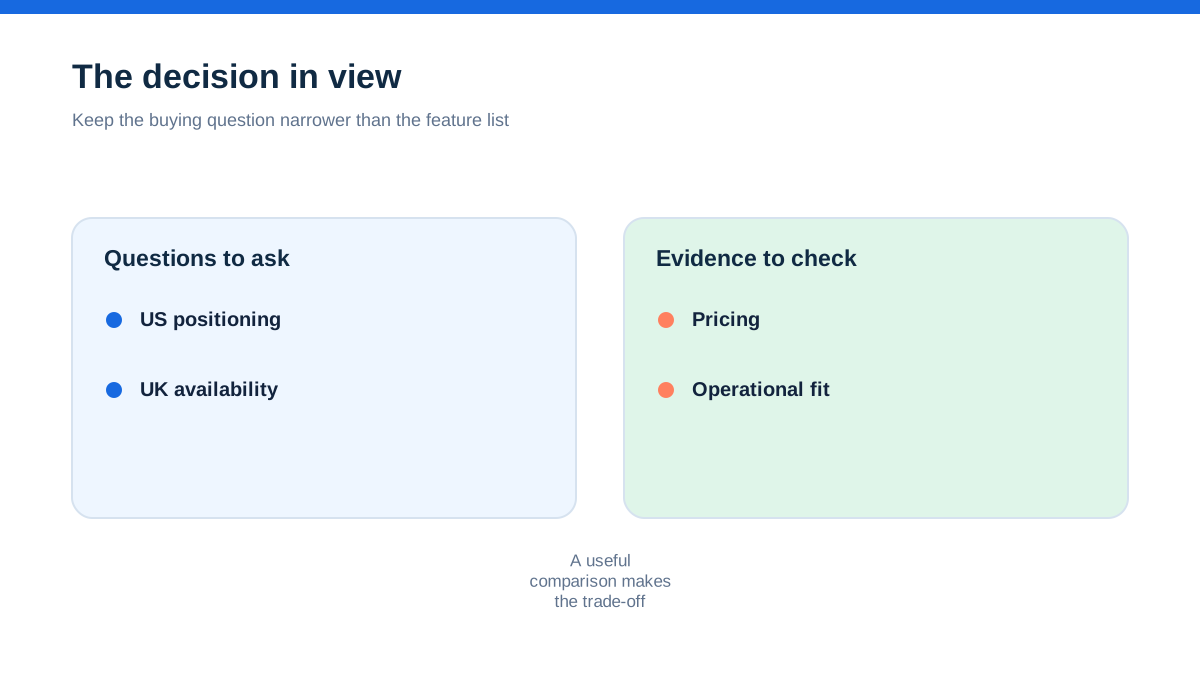
Workiz is aimed at that drag. The official product description links lead capture, booking, dispatch, estimates, payments and marketing in one platform.[1] Its features page describes a drag-and-drop calendar, branded invoices, estimates and proposals, a mobile app, customer management, online booking and reporting.[3]
The real aha is this: Workiz is less interesting as an electronic diary than as a shared operating record. The value would come from making one customer conversation continue through the appointment, the work, the quote, the invoice and the next piece of contact without being retyped or hunted down.
That is more than putting jobs on a calendar, and it depends on setup discipline. If your prices, job types, customer fields and payment process are messy, software can make the mess faster without making the business better.
The first surprise is not the calendar
Most owners start a software comparison by looking at scheduling. That makes sense because missed appointments and awkward routing are visible pains. Workiz does offer scheduling and dispatching, including a calendar view for assigning work based on availability, service area and skill set.[3]
For a one-person business, however, the calendar may not be the deciding feature. You already know where you are going. The bigger problem may be qualifying the enquiry, capturing details, explaining options, recording the work and collecting payment.
Workiz's official feature list stretches across that whole chain. It includes custom estimates and proposals, online booking, a client management area, custom job and client fields, a price book, online payments, service plans, equipment tracking and automations.[3] The pricing page says all three main plans include unlimited jobs, invoices, estimates and clients, while plan features differ as the operation grows.[2]
For a small UK firm, that creates two possible readings. The first is positive: you may be able to replace a patchwork of calendar, invoice, form and messaging tools with one record. The second is cautionary: you may pay for a broad system when the immediate problem is simply that every enquiry is written down differently.
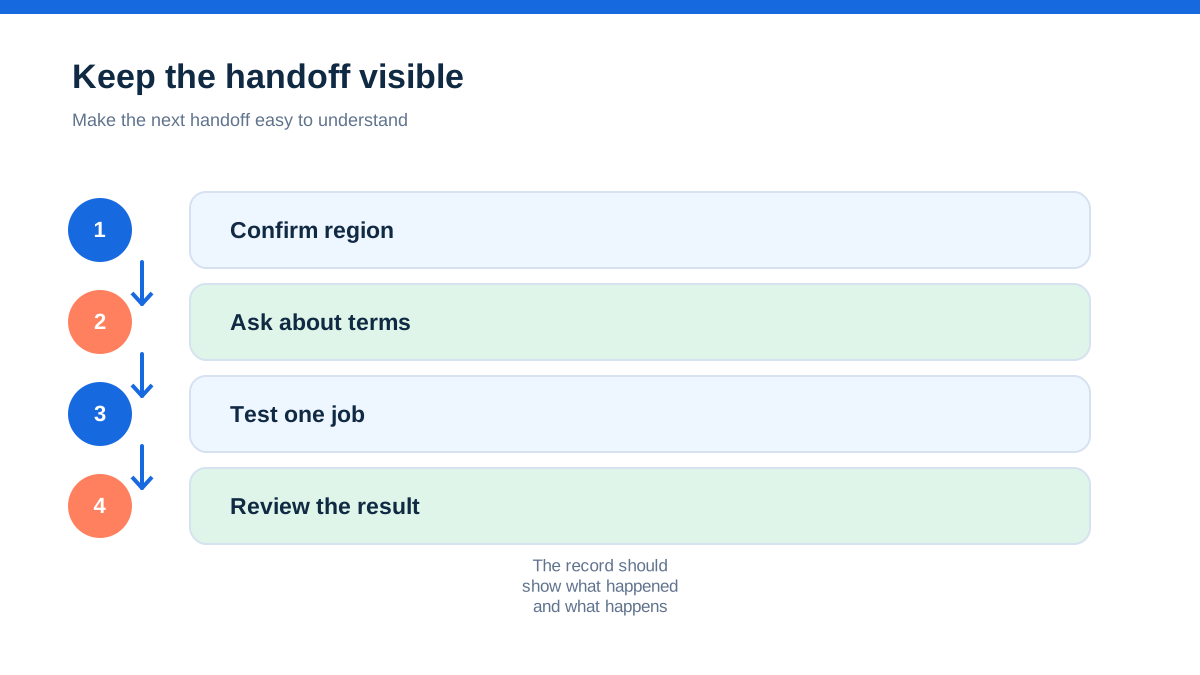
The product should therefore be judged by handoffs. Can the person answering a call capture enough detail for the person booking the job? Can the engineer see what was promised? Can the office turn the completed job into an accurate invoice? Can the owner find the evidence later if a customer queries the work? The official pages suggest Workiz has the components, but they do not prove that your team will use them cleanly. That is why a controlled trial with one real job matters more than a polished demo.
A Monday morning you can map before you subscribe
Before considering a plan, write down one ordinary job from your business. Do not choose the most complicated project or the easiest repeat visit. Choose the job that exposes your usual friction.
For a domestic heating firm, that might be a boiler fault enquiry that becomes a diagnostic visit, a parts decision and a return appointment. For a decorator, it might be an enquiry that needs photos, a site visit, a written quote, a deposit and several days on site. For a locksmith, it might be a fast call where the customer wants a price range and a clear arrival message.
Now describe the job in plain language. A customer calls. Someone records the name, number, address, access notes and problem. You decide whether the work is urgent. You offer an appointment. A worker travels to the property. The customer approves a price or asks for options. The work is recorded. An invoice is issued. Money is collected. A reminder or follow-up may be needed.
This description gives you a useful test route. Workiz's published capabilities map onto much of it: lead handling and communications on the front end, scheduling and dispatch in the middle, estimates and invoices around the work, and payments afterwards.[1][3] The question is not whether the labels exist. The question is whether the fields, permissions, notifications and integrations support your version of the route.
A practical review should also record the things the official marketing pages cannot settle: UK mobile numbers, text-message support, payment settlement, tax settings, invoice wording and whether support can explain the UK position. Put those questions in writing before a sales call. A good demo should answer them using your job, not a generic example.
The UK question arrives before the demo
The biggest limitation in this review is geographic fit. Workiz's homepage says it is trusted by more than 120,000 home service professionals in the United States and Canada.[1] The official footer and contact details shown on the pages reviewed are US-focused. The FAQ refers to plans billed annually and describes payment and phone features without presenting UK-specific terms.[4]
The pricing page lists Standard, Pro and Ultimate, but it currently directs visitors to “Request pricing” rather than showing public figures that a UK reader could compare in pounds.[2] It also states that subscription prices exclude sales tax where applicable.[2] That wording is not a UK price list, and it should not be converted into a guessed monthly cost.
This matters because software that works well in North America can still need checking in the UK. The issue is not only currency. It is invoice tax treatment, payment processing, telephone numbers, messaging rules, date formats, data handling, accounting integrations and the availability of local support. A small business cannot assume that a button labelled “payments” solves the whole payment journey.
My conclusion is deliberately narrow. Workiz appears to offer a broad field service toolkit that could be relevant to UK trades. The official pages reviewed do not establish a dedicated UK edition, UK pricing, UK payment terms or UK-specific accounting support. If those details are important to you, ask for them in writing before committing.
Where the core plan starts to make sense
Workiz's Standard plan is presented as the core option for growing teams. The published list includes scheduling, invoices, jobs, estimates, online payments, service areas, built-in reports, client management, custom fields, subcontractor management and QuickBooks integration.[2]
That collection could suit a small firm that has outgrown a notebook and several disconnected apps. Unlimited jobs, invoices, estimates and clients are shown for each of the three plans on the comparison page.[2] That is useful because it avoids a simple fear that every extra quote or customer record will trigger a new usage charge, although the full commercial terms still need checking with Workiz.
Standard looks most plausible when the business needs consistency more than advanced automation. You might want every enquiry to capture the same property details, every completed job to produce an invoice in the same format and every member of the team to see the same appointment board. A shared customer history can also reduce the awkward conversation where a customer explains the same fault to three people.
The trade-off is that a wide list of included features does not tell you how much configuration they require. The owner may need to create job types, service areas, templates, permissions and notification rules. The software becomes useful when those decisions are made once and followed repeatedly.
The published comparison shows Pro adding performance pay, more automations, Genius Leads, Genius Scheduling and custom reports. Ultimate adds service plans, proposals, inventory management, flat-rate functionality, checklists, multi-day jobs, franchise management, an open API, equipment tracking and purchase orders.[2]
That makes the plan ladder less about company size alone and more about operating complexity. A two-person firm with recurring maintenance and stock control might need a feature found higher up the list. A larger firm that only needs a shared schedule might not need every advanced option. Do not choose by the label “most popular”. Choose by the one bottleneck that is costing you time or missed revenue.
When AI sounds useful and when to slow down
Workiz now positions several Genius products around AI and communication. The homepage describes AI answering, scheduling, dispatch, estimates, payments and marketing as parts of the wider platform.[1] The comparison page lists Genius Phone, Genius Answering and Genius Marketing as add-ons, and shows features such as call insights, smart messaging, two-way texting, call flows and call masking.[2]
That could be valuable for a business that misses enquiries while engineers are working. A phone or answering layer may help capture demand outside office hours. Automated messages may reduce the number of customers asking whether somebody is still coming. A marketing workflow may bring past customers back for relevant work.
The UK fit is especially important here. The official comparison says Genius Answering can handle phone calls and inbox messages and can speak English, Spanish and French.[2] That tells you about the advertised language options, not whether the product's telephone, message or consent arrangements match your customer base and local obligations. Ask how numbers are provided, where recordings are stored, how opt-outs work and what happens when the system is unsure.
AI should be treated as a controlled assistant, not an unattended receptionist. Give it a narrow role first. Let it collect the facts needed for a quote request or callback. Keep a human decision for pricing, emergencies, access problems and complaints. Review the transcripts or records during the trial. If the system cannot show what it captured, it is not ready to represent your business.
The price book is the part worth interrogating
A price book sounds like an admin feature. In practice, it may be where a trade business turns experience into a repeatable commercial process.
Workiz says its price book can hold flat-rate and item catalogues, share them with customers and integrate with pre-made books.[3] The feature page also describes estimates and proposals with good, better and best options, plus inventory visibility in the wider product description.[3] On the pricing comparison, flat-rate functionality is shown as part of Ultimate rather than Standard or Pro.[2]
For a small business, the important question is not whether you can store prices. It is whether you can build prices that still protect margin when a job takes longer, materials change or access is worse than expected. A useful catalogue might separate labour, common materials, disposal, testing, call-out work and follow-on visits. It should also make clear when a quote is provisional rather than a promise.
Here is a hands-on way to evaluate this without pretending that Workiz has been tested. Take ten common jobs from your own records. For each one, write the customer-facing description, the assumptions, the parts that are normally included, the exclusions and the decision that turns a quote into a variation. Try entering those items into a trial account or ask the demo presenter to build them live.
Then ask for three outputs: a customer-facing estimate, a technician view and an invoice after approval. Compare each output with the document you would send today. Look for missing tax fields, unclear wording, awkward optional items and anything that could make a customer think an estimate is a fixed price.
This exercise may reveal that your process needs tidying before software can help. That is a useful finding, not a failed trial. The software should expose the commercial rules you need to agree, not hide them behind a polished template.
Payments, QuickBooks and the UK bookkeeping reality
Workiz's official pages describe Workiz Pay as a route for online payments, estimate deposits, consumer financing, card readers and tap to pay. The FAQ says Workiz Pay can be used to create invoices, give estimates and get paid online or in the field, and it mentions card readers powered by Stripe.[2][4]
The FAQ also says Workiz integrates with QuickBooks Online and can synchronise invoices, customers and payments.[4] That could reduce duplicate entry for a business already using QuickBooks Online. It does not mean every UK bookkeeping question is answered. You still need to understand the exact integration behaviour, tax codes, settlement timing, refunds, fees, reconciliation and who owns the accounting record.
Treat payment and accounting as separate buying checks. Ask which entity processes the payment, which currencies and cards are supported for UK customers, how fees are shown, when funds settle and whether a UK bank account can be used. Do not let a smooth invoice demonstration stand in for a finance review. If you use another accounting package rather than QuickBooks Online, confirm whether there is a supported integration or whether you would export and reconcile manually.
The UK-specific uncertainty is again material. The official pages reviewed provide general product information but do not publish a UK payment schedule or a UK accounting guide. That is why this review does not state a Workiz payment cost, card rate or UK tax capability as fact.
A one-job trial that tells you more than a sales tour
If you can access the seven-day free trial described on Workiz's official pages, use it as a focused operating exercise rather than a tour of every menu.[2] The FAQ says no credit card is required for the trial period, but confirm the current terms at sign-up before relying on that detail.[4]
Choose one representative job and create a small test route. Start with the enquiry record. Capture the customer's name, telephone number, address, source, service type, urgency, access notes and any photos or documents you normally need. Check whether those fields are easy to find later.
Create the appointment and assign it to the person who would actually attend. Check the calendar view, travel information, service area rules and notifications. If you have a subcontractor or a second engineer, see whether the record makes responsibility clear without giving that person access to information they do not need.
Prepare an estimate with the wording and options you use in real life. Add a variation scenario, such as an extra part or a return visit. Convert the accepted work into an invoice. Send it to a test email address or use a controlled customer record, not an unsuspecting customer. Examine the document on a phone as well as a computer.
Run the payment question without taking real money. Ask Workiz to explain the UK path, then record the answer. Test the route for a customer who pays online, a customer who pays on site and a customer who needs a deposit. Note the processor, fees, settlement, receipt and refund process.
Finally, search for the job as though a customer has called two weeks later. Can you find the original enquiry, the estimate, the approval, the work notes, the photos, the invoice and the payment record without remembering which screen holds each item?
Score the trial on five practical measures: time to capture an enquiry, time to schedule it, clarity of the estimate, quality of the handover and confidence in the records. Do not award points for features you will never use. If the platform saves no meaningful time on a normal job, extra capability is not a reason to buy.
What the official pages leave unanswered
A good review is also a list of questions that remain open. Workiz's official pages do not let me confirm a public UK price in pounds. They do not establish UK-specific phone numbers, payment fees, tax configuration, support hours or accounting coverage. They also do not demonstrate how the software behaves with UK addresses, postcodes, bank payments or VAT documents in a live account.
The pages describe QuickBooks Online integration, but a UK firm should confirm the exact version and workflow rather than assuming that an integration label guarantees a clean ledger.[4]
The pages describe online payments and card readers, but the UK availability and commercial terms need confirmation.[2][4] The pages describe an English-speaking answering service, but the tone, consent handling and escalation rules still need testing against your customer communications.[2]
Workiz's FAQ refers readers to its security and privacy policies, but a business should review those documents for its own use case before uploading customer information.[4] Consider what you store, how long you retain it, who can access it and how you respond to a subject access or deletion request. None of these gaps proves that Workiz cannot work in the UK. They explain why a responsible UK review cannot give a simple “yes, it is UK-ready” verdict from public product pages alone.
Who should consider Workiz, and who should wait
Workiz is worth investigating if your business has several people handling enquiries, bookings or field work and you are losing time between those roles. It is also relevant if you need one customer record to connect estimates, job notes, invoices and payment activity. A growing maintenance business may find the combination of recurring jobs, service plans, equipment tracking and reporting useful, subject to plan and regional confirmation.[2][3]
A firm with multiple locations or more complex stock and permissions may have a reason to inspect the higher plans, but the decision should start with one bottleneck rather than the “most popular” label.[2][3]
I would be more cautious if you are a solo trader with a light diary, simple invoices and no appetite for configuration. A broad platform can become another admin burden. Start with the one problem that costs you money, and only buy the wider system if it solves that problem without creating a larger one.
Get written answers before importing customers or changing your phone number. If the supplier cannot answer, compare a product that publishes a clearer UK proposition.
The verdict for a UK trade business
Workiz presents a credible all-in-one field service proposition. Its published product covers the parts of a mobile service business that often become fragmented: lead capture, scheduling, dispatch, estimates, customer records, invoicing, payments, communications, reporting and integrations.[1][2][3]
The strongest idea is carrying one accurate customer record from the first call to the final payment.
The strongest warning is equally clear. Workiz's public positioning is North American, its pricing page asks visitors to request pricing, and the official pages reviewed do not establish UK-specific commercial or operational support.[1][2] There is no honest basis here for quoting a UK price, promising UK payment compatibility or claiming that the product has been hands-on tested for British trades.
My verdict is therefore: shortlist for a structured trial, not an automatic UK recommendation. Use one real job, ask direct UK questions and examine the records from enquiry through payment. If the answers fit your phone, finance and customer-data requirements, Workiz may be a useful operating hub. If the UK details remain vague, the uncertainty is itself a reason to keep looking.
- [1] Workiz official homepage (11 October 2026)
- [2] Workiz pricing and plans (11 October 2026)
- [3] Workiz features (11 October 2026)
- [4] Workiz FAQ (11 October 2026)
Affiliate status: no affiliate links are used on this page. Provider links are direct sources only, pending programme approval.