Drafted for review. Last source review: 11 October 2026. No affiliate links are used in this article.
A small commercial contractor can look organised until a job involves more than one person, one visit or one invoice. Then the hidden work appears: a quote needs clarification, a site induction is missing, a subcontractor cannot find the latest drawing, a variation is agreed in a phone call, a completion photo is stored in the wrong chat, and the invoice waits because nobody can prove what was accepted.

This is not mainly a problem of job volume. It is a problem of handoffs. Domestic work can often be carried in one person’s head. Commercial work distributes the story among the client, site manager, office, field crew, subcontractors, suppliers and accounts.
The useful aha is this: field service software earns its place when it preserves the decision at each handoff, not when it merely shows more jobs on a screen.
This guide is for UK electrical, mechanical, building-services, maintenance and other small commercial contractors. It is an operating method, not a product comparison. Software providers describe different combinations of quoting, scheduling, work orders, digital forms, asset records, project controls, invoicing and accounting connections. Treat those pages as feature descriptions to verify, not as independent proof of results.
A small contractor becomes a coordinator overnight
Consider a contractor who wins a modest retail fit-out. The work is familiar, but the job has a client representative, a principal contractor, an electrician, a ceiling contractor and a delivery slot. The contractor’s own team is only three people.
On the first morning, the site manager asks for evidence that the worker attended the induction. Later, the client asks why an agreed extra is not in the progress claim. A subcontractor says the latest instruction was sent by email. The office has a photograph showing completion, but it does not identify the room. Nobody is deliberately hiding information. Each person is working from a different version of the job.
The answer is not necessarily enterprise software. It is one controlled job record with named owners, current documents, dated decisions and a clear route from quote to completion to payment.
Before choosing a platform, draw the real journey of one commercial job. Include enquiry, survey, quote, acceptance, mobilisation, induction, work, variations, inspection, handover, invoice and payment. Mark where information currently changes hands. Those marks are where software should reduce uncertainty.
Make one commercial job card that can survive the office and the site
Start with a job card that contains the information needed by everyone, then keep specialist detail in linked sections. At minimum, include the customer’s legal name, site address, project reference, main contact, site contact, agreed scope, exclusions, start window, target completion date, payment terms, insurance or competency requirements, and the person who can authorise variations.
Add a document register. Give each drawing, specification, method statement, risk assessment, programme, purchase order and client instruction a date, status and owner. “Latest drawing” is not a document name. Use a reference such as “RCP-02, revision C, issued 14 October, approved for construction” only when that status is real.
Separate internal notes from customer-facing records. A margin concern, supplier negotiation or candid planning note should not accidentally appear in a client report. Conversely, a site instruction that affects scope should not be trapped in a private message.
Simpro describes field-service management as a connected workflow covering estimating, scheduling, field execution, invoicing and reporting, with mobile work and digital forms among its functions.[3] Whether you use that platform or another, the design principle is the same: the job should have one operational spine, not a collection of disconnected exports.
Give the job card a clear “next decision” field. Examples include client approval required, material lead time to confirm, access date to agree, inspection booking required or invoice evidence ready. A record is useful when it tells someone what happens next.
Treat the quote as an operating brief, not just a price
Commercial disputes often begin before the work starts because the quote is too thin to operate. A price can be accepted while the scope remains unclear.
Write the quote so that the field team can see what was assumed. State included areas, quantities, access assumptions, working hours, exclusions, testing or commissioning included, client-supplied items, waste arrangements, making-good responsibility and what would trigger a variation. Keep the language plain enough for the person supervising the work.
When the quote is accepted, convert the useful scope into the job card. Do not copy every sales sentence blindly. Pull through the details that affect delivery and keep the original quote linked for reference.
The Office of the Small Business Commissioner advises businesses to put agreements in writing and says a contract should make clear what is provided, how much, relevant quality or limitations, duration and the parties involved.[5] It also highlights payment terms as important for protecting cash flow. Software cannot create a fair contract, but it can make the agreed terms easier to find and apply.
Set an approval rule for work outside scope. The rule might require a written instruction, a variation number or an email from an authorised person. Use the customer’s contract as the source of truth. A text message may be useful evidence, but do not assume it changes the contract without checking.
Turn site induction into a searchable record
The first site visit is not merely a clock-in event. It is where the contractor learns the conditions that shape safe delivery. HSE says contractors must plan, manage and monitor work under their control, ensure suitable site-specific induction, provide supervision and prevent unauthorised access.[1]
Create a mobilisation section that records the site contact, access route, welfare arrangements, emergency arrangements, work areas, other contractors, known services, asbestos information where relevant, required permits and the location of project documents. Record who attended the induction and when. Attach the current site rules or link to the controlled version.
The record should distinguish “information received” from “control implemented”. Knowing that a delivery route is shared is not the same as arranging a safe delivery window. Knowing that another contractor is present is not the same as agreeing who isolates a service.
For small jobs, this can be a short digital form. For larger or higher-risk work, follow the project’s required arrangements and get competent advice. The form should prompt a conversation, not become a substitute for the construction phase plan, risk assessment, method statement or site supervision that the work requires. HSE’s construction phase plan guidance says every construction project needs a plan, and that a simple plan can record key dates, other people on site, communication arrangements, hazards, controls and welfare for suitable small work.[2]
A mobile record is valuable here because the person at the site can attach a marked-up photograph, note the actual isolation point and record a change while the information is fresh. It is only reliable if someone reviews the submission before work begins.
Give every commercial job a clock with more than one date
A single completion date hides the commercial reality. Add dates for client approval, procurement cut-off, site access, planned start, inspection, handover, invoice submission and expected payment. Keep the contract’s dates separate from internal targets.
Use a weekly view that shows jobs by risk, not just by colour. A job can be on programme while its long-lead material is unconfirmed. Another can be physically complete while the inspection certificate is missing. A third can be ready to invoice but waiting for a purchase order number.
Create a short exception note whenever a date changes: what changed, who was told, effect on cost or programme, and next action. Do not write a dramatic explanation. Write enough for someone outside the original conversation to understand the decision.
This is where field service software differs from a personal calendar. A calendar tells one person where to be. An operational schedule tells the team which dependency is blocking the job and who owns it.
Review the next fortnight with the field team and office together. Ask which jobs need a decision before another visit is booked. A well-run review can prevent wasted travel, aborted deliveries and unpriced waiting time.
Keep variations in the open while the memory is fresh
A variation is easiest to control at the moment it appears. The site team sees a hidden service, changed layout, damaged substrate or extra client request. If the detail is recorded later, the business may remember the request but forget the condition, labour impact or approval boundary.
Give the field worker a variation capture form with five short prompts: what changed, why it changed, location, estimated effect, and evidence. Add photographs or a marked-up plan when they explain the issue. Route the form to someone who can price or reject it. Mark it as proposed, submitted, approved, declined or included by clarification.
Do not let “variation” become a blank cheque. Link the approved instruction to the task, price, programme effect and invoice line. If work must proceed before a price is agreed, record who authorised that risk and what limit applies. Get contractual advice when the consequence is material.
The aim is not to win every argument. It is to make the agreement visible before work disappears behind a wall.
Make subcontractor handoffs visible
Small contractors often rely on trusted subcontractors, but trust does not remove the need for clear information. Give each subcontractor a controlled brief containing site, scope, access, dates, deliverables, induction requirements, contact route, inspection point and evidence required for payment.
Record when the brief was issued and which revision the subcontractor received. Keep questions and answers attached to the job. When a subcontractor finishes, require the agreed handover pack: photographs by location, test or commissioning information where relevant, delivery notes, waste record, outstanding items and invoice reference.
Simpro’s work-order material describes centralised work orders that can bring scheduling, contractors, inventory and customer service into a connected workflow, including visibility of contractor assignments.[3] That is a useful model for a small firm even if the actual tool is simpler. The contractor should be visible as part of the job, not an external memory that the office cannot search.
Do not give every external person access to every customer record. Use the smallest permission that lets them do the work and submit evidence. Review access when the work ends.
Record completion for payment, not just for pride
“Finished” is not a payment-ready status. A commercial customer may require a signed delivery note, completion report, test result, photograph, timesheet, asset information, warranty document or purchase order reference. The requirements vary by contract.
Create a handover checklist based on the job agreement. Include the customer’s acceptance contact, date of practical completion or service completion where relevant, outstanding items, defects, documents supplied, photographs, materials used and the invoice trigger. Keep a distinction between work physically complete and paperwork accepted.
The completion record should tell an accounts colleague why the invoice can be raised. It should not ask the field worker to decide tax treatment or contract law. Pull through the agreed payment terms and invoice requirements from the contract, then have the responsible office person check them.
Xero’s UK construction invoicing page describes customisable invoices, online payment options, automatic reminders and creating invoices from an app, while noting that construction businesses may connect specialist apps.[4] Those are capabilities to test in your own setup. Check whether the integration passes the right customer, tax, project and reference data, and reconcile early invoices manually.
The customer should receive a report that explains the work. Accounts should receive evidence that supports the invoice. They may be related documents, not identical documents.
Connect field notes to accounts without confusing the systems
Operational software and accounting software answer different questions. The job record asks what was agreed, scheduled, done, inspected and left open. The accounting system asks what was invoiced, paid, owed, coded and reported.
Connect them where the handoff is stable. Useful fields may include customer identity, project reference, invoice number, net value, VAT, payment terms, purchase order and payment status. Keep a reconciliation routine so an office person checks that the invoice exists in both places and that a credit, variation or retention has not been lost.
HMRC record-keeping requirements and VAT rules depend on the business’s circumstances. Do not rely on a field-service platform’s marketing page as tax advice. Confirm the record requirements with HMRC guidance and your accountant, especially where digital links, subcontractor deductions, reverse charge or mixed supplies are involved.
A clean integration reduces duplicate entry. It does not remove the need for review. When a synchronisation fails, route the exception to a named owner rather than quietly raising a second invoice by hand.
Use the Friday control room to find the silent jobs
Run a short weekly control meeting with the office and field lead. The meeting is not a tour of every screen. It is a search for work that is physically moving but administratively invisible.
Review five lists:
- jobs starting soon without a confirmed brief or access
- work in progress without a current site record
- variations waiting for an authorised decision
- completed work without the evidence required for handover
- invoices sent without a clear payment or dispute owner
For each item, record one owner and one next decision. If the answer is “waiting for the client”, record when the client was contacted and what was requested. If the answer is “waiting for us”, assign the internal task without blame.
Watch for repeat causes. If three jobs lack the same handover photograph, change the form. If invoices are rejected for missing purchase orders, make the purchase-order field visible at quote acceptance. If subcontractors submit different evidence every time, revise the brief.
The system becomes valuable when the meeting gets shorter because the record is clearer, not when the dashboard becomes more elaborate.
The two-week pilot reveals whether the system fits the work
Choose one live commercial job with moderate complexity and a clear finish. Do not choose a perfect job. Include at least one subcontractor, one variation or clarification, and one document that must reach the customer.
Before the pilot, record how many places hold the job information and how long it takes to prepare an invoice pack. During the pilot, note every duplicate entry, missing permission, unclear status and field that people bypass. After handover, ask the site worker, office administrator, subcontractor and accounts person to find the same five facts without help: agreed scope, latest instruction, current outstanding item, evidence of completion and payment requirement.
Keep the workflow if the answers are consistent. Simplify it if people create shadow spreadsheets or messages. Reject features that add reporting theatre without improving a handoff.
A small commercial contractor does not need software that makes the business look large. It needs a record that makes responsibility visible, protects the working relationship and gets accurate evidence to the person making the next decision.
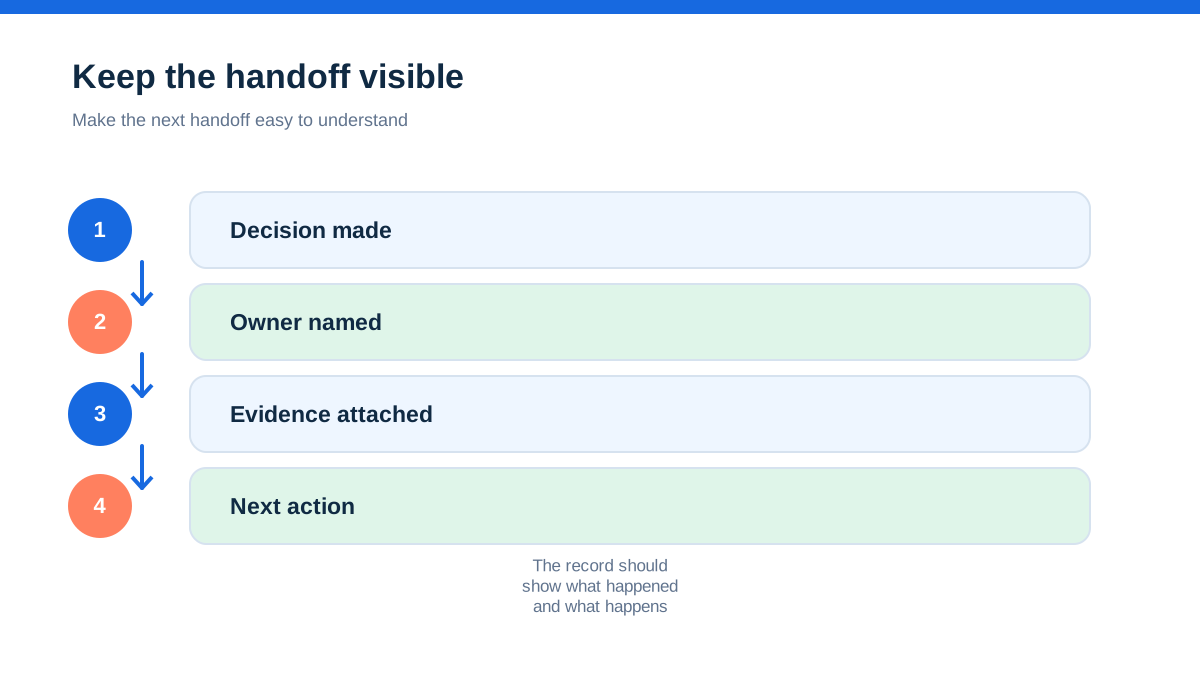
When every handoff leaves a clear trace, the business can grow without asking the owner to remember the entire job from the first quote to the final payment.
- [1] Health and Safety Executive, “Contractors: roles and responsibilities” under CDM 2015 (11 October 2026)
- [2] Health and Safety Executive, “CDM 2015: Construction Phase Plan” (11 October 2026)
- [3] Simpro, “Field Service Management Software for Trades” (11 October 2026)
- [4] Xero UK, “Invoicing software built for construction” (11 October 2026)
- [5] Office of the Small Business Commissioner, “Contract Guide” (11 October 2026)
Affiliate status: no affiliate links are used on this page. Provider links are direct sources only, pending programme approval.