Drafted for review. Last source review: 11 October 2026. No affiliate links are used in this article.
Draft status: Editorial draft only. Not published. Checked: 11 October 2026. Audience: UK plumbing, heating, electrical, HVAC, renewables, maintenance and commercial service businesses deciding when a basic job system is no longer enough. Affiliate status: No affiliate links. Provider URLs appear only in the Sources section.
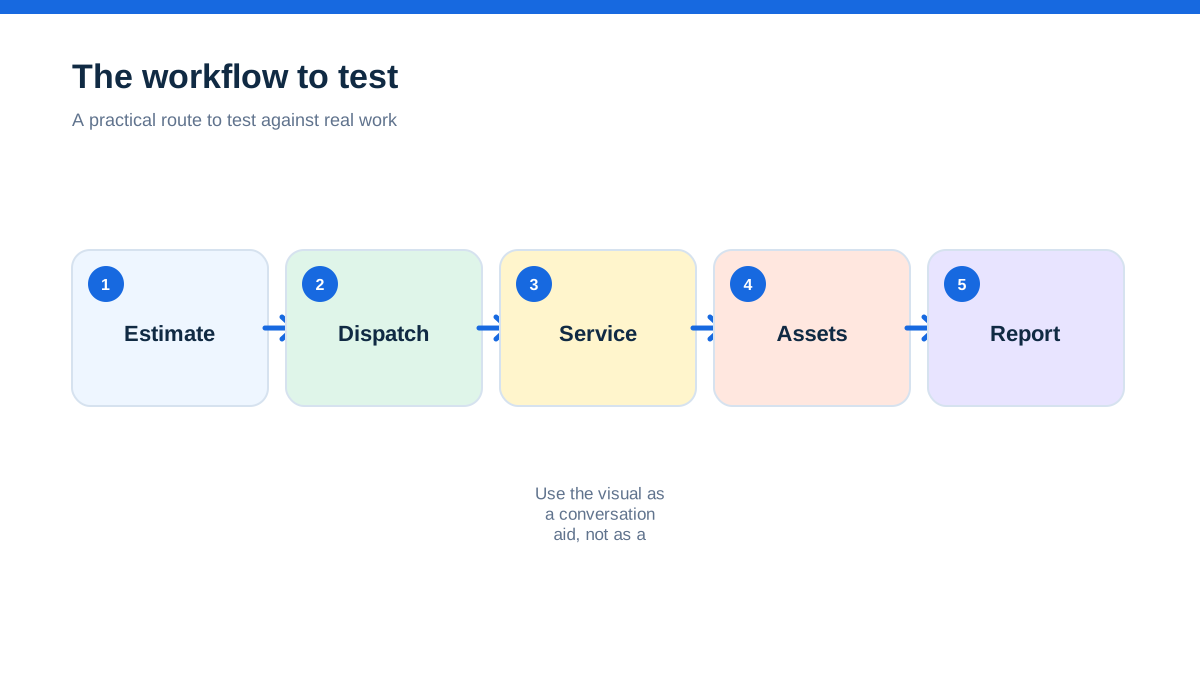
Commusoft and simPRO are both aimed at businesses that have outgrown a diary, spreadsheet or lightweight job app. That overlap makes a feature-by-feature comparison tempting. It is also the fastest way to lose the decision.
The more useful question is what kind of operational complexity you are buying software to control. Commusoft's official UK material puts strong emphasis on commercial service delivery, office and field coordination, service contracts, customer assets, stock, job costing, digital forms, customer communication and a mobile app with offline capability. It says the core product scales through tiered plans and specialised modules, and its plan page describes standard contracted licences alongside monthly rolling and daily licences.[1][2]
Simpro's official material puts strong emphasis on estimating and quoting, inventory and purchasing, schedule and dispatch, service delivery, invoicing, reporting, project work, multi-company compatibility and add-ons such as data feeds, fleet tracking, takeoffs, maintenance planning, SMS and digital forms.[4][5][6]
The short answer is this. Start with Commusoft when the central problem is running a commercial service operation with recurring contracts, customer assets, engineer information and a need to see true job profitability. Start with simPRO when the business needs deeper control over mixed service and project work, supplier pricing, inventory, multi-stage billing, contractor coordination, multi-company structures or detailed reporting. Both are substantial systems. Both require a serious implementation conversation. Neither public pricing page gives a simple UK subscription number you can safely use as a final budget.[1][4]
This is an official-source comparison, not a claim of hands-on testing or an independent product score. Features, plan names, add-ons, pricing, availability and product roadmaps can change.
The job that exposed the operating model
Imagine a growing heating and electrical contractor with eight engineers, two office coordinators and a small commercial division. Monday brings emergency repairs. Tuesday brings planned maintenance visits. Wednesday brings a multi-site client asking for a quote to replace several plant-room components. Thursday brings a supplier price change. Friday brings a customer asking why a job is complete but the invoice has not arrived.
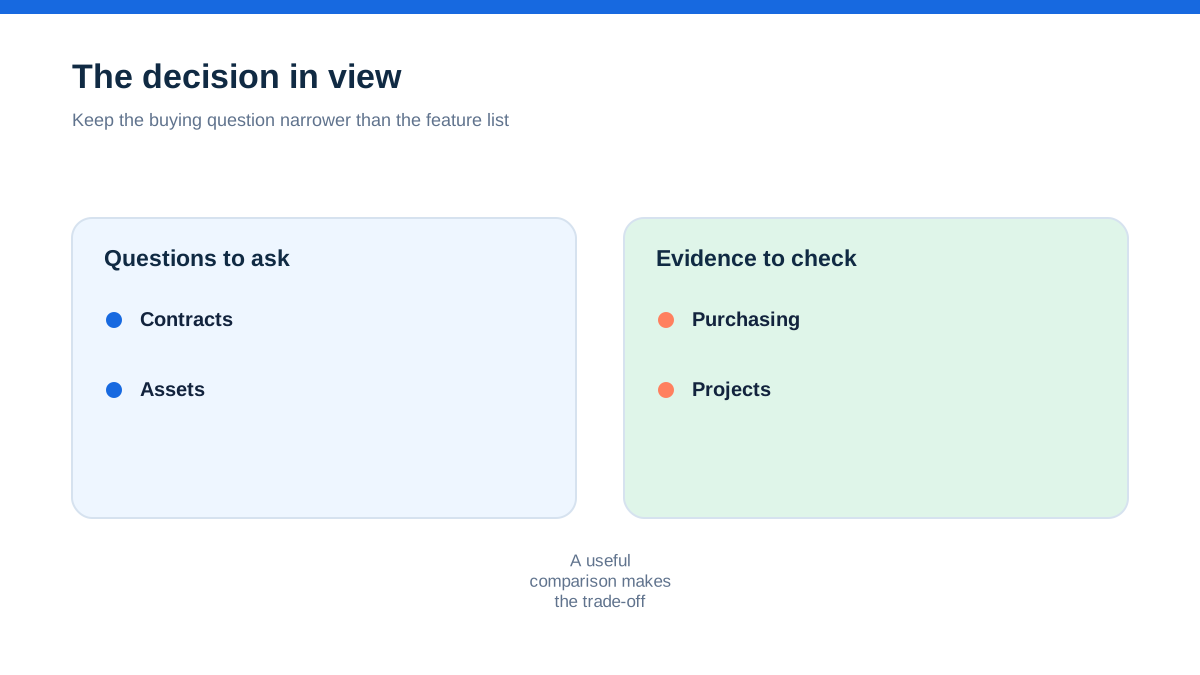
A small app can record each appointment. That is not the same as controlling the business. The business needs to know which engineer can attend, which parts are in which van, what the contract covers, which asset has a service history, which quote has an approved margin, what has been completed on a project and what can be invoiced now.
The owner may say, “We need job management.” In reality, the business may need one of two operating models. The first is a service-control model: recurring work, customer relationships, engineer readiness and accurate job costing. The second is a project-control model: detailed estimates, stock and purchasing, multiple resources, work in progress, staged billing and reporting across complex jobs.
Commusoft and simPRO can overlap, but the distinction helps decide what to demonstrate first.
Aha: complexity is a handoff problem, not a feature count
The aha is that the right platform is the one that protects the handoffs your business cannot afford to lose.
Commusoft's plans page describes a core product for job management and commercial service delivery, with job scheduling, intelligent dispatch, automated invoicing and job costing, residential and commercial contracts, an offline app, custom forms and certificates, proposals, stock, customer records, service contracts and reporting. It presents Fleet+, Sales+, AI:den+ and Analytics+ as additional modules, with some marked as coming soon on the checked page.[1]
Simpro's official features and job-management pages describe a chain from estimating and quoting through inventory, schedule and dispatch, service delivery, invoicing and business reports. The pricing page also lists multi-company compatibility, data feeds and a range of optional add-ons.[4][5][6]
Those descriptions imply different starting questions. Commusoft asks whether the service operation is controlled from office to engineer to customer. Simpro asks whether the whole commercial job, including stock, purchasing, schedule, cost, billing and reporting, can be kept coherent as it grows.
A long feature list cannot tell you which handoff is most expensive in your business. A real job map can.
When recurring service is the centre of gravity
Some businesses make money by returning to the same customers and assets. Planned preventative maintenance, service contracts, inspections and recurring visits are not side features. They are the commercial engine.
Commusoft's official material describes service contract management for PPM schedules and recurring invoicing, customer asset records, asset service history, reminders, customer communication and a mobile app that gives engineers access to job information and forms even when offline.[1][2]
It also describes a customer database that brings contact details, job histories, asset records and communication logs together.[2]
Simpro's official pages also describe recurring jobs, maintenance contracts, preventative maintenance and service scheduling.[5][6] The difference is not that simPRO cannot support recurring service. It is where recurring service sits in the wider operating model. If the office's main concern is contract coverage, asset history, engineer readiness and customer communication, make those the first demonstration screens. If recurring maintenance is part of a wider project and inventory environment, test how it connects to those records rather than treating it as an isolated calendar function.
Use a contract with three sites, different service frequencies and one overdue visit. Ask both providers to show what the engineer sees, what the customer sees, how the invoice is produced and how the office knows a visit was missed. A recurring record that looks tidy but loses the commercial context is not enough.
When the quote is really a cost model
A quick repair quote and a multi-stage installation are not the same financial object. The first may need a labour rate, a few parts and a customer approval. The second may need supplier pricing, labour assumptions, material allocations, a work-in-progress view, progress billing and a clear trail from estimate to actual cost.
Simpro's official estimating material says users can build service quotes or accurately costed projects, use catalogue items, take-off templates and pre-builds, adjust labour and materials, track quote progress and view budgeted labour and material costs against margin and profit.[5]
Its job-management page describes cost tracking for parts, labour, contractors and equipment, plus quote acceptance and conversion into jobs.[6]
Commusoft's job-costing material says its system tracks labour, parts and supplier costs against estimates, allocates expenses in real time, records engineer time, follows parts and purchase orders, and provides profit reporting by job, engineer or service type.[3]
Its proposals material is positioned around professional, multi-option estimates and sales workflows, with details varying by product and module.[1][2]
The buying decision is not “which has job costing?” Both providers describe job-costing capability. The decision is whether the estimator, purchasing record, field time, material movement and invoice remain one understandable chain. Give each provider a job with an estimate, a supplier price change, an extra visit and a variation. Ask where the margin is visible before the invoice is sent.
The warehouse, van and supplier question
Inventory is often the point where an apparently simple service business becomes expensive to manage. A missing part can cause a return visit. An old price can erode a margin. A purchase order that never reaches the job can make the final profit look better than it is.
Commusoft's plan and field-service pages describe stock management across warehouse and service vehicles, reorder points, parts history, van inventory and tracking from purchase to installation.[1][2] Its job-costing page says parts and purchase orders are tracked against the job and that material costs are included in job totals with markup where applied.[3]
Simpro's official features pages describe real-time inventory, purchasing, stock locations, supplier catalogues, supplier pricing comparisons, purchase orders, received items and stock transfers to jobs. Its job-management material also describes vendor catalogue data and tracking pricing over time.[5][6]
A fair comparison needs a physical scenario. Put ten common parts in a warehouse, five in a van and one on an open purchase order. Change the supplier price. Allocate one item to a repair, return another to stock and mark one as damaged. Then ask for the projected job margin and the replenishment view.
The result you want is not a bigger stock screen. It is fewer unplanned trips, fewer unexplained variances and a cost record that the finance person can trust.
The day a project needs more than a diary
Service work becomes project work gradually. A replacement job turns into a staged installation. The customer wants progress claims. Several engineers and subcontractors are involved. Materials arrive in batches. A quote is accepted, but the final cost changes as the site develops.
Simpro's official pages explicitly describe project management, multi-stage billing, deposit and progress invoices, retainage claims, job costing, contractors, purchasing and reporting. The simPRO Premium page positions the platform for complex operations and multi-company or franchise structures, while the pricing page says the base plan includes quoting and estimating, field and contractor scheduling, inventory and purchasing, field operations, invoicing, accounting and reporting.[4][6]
Commusoft's official material is also aimed at commercial service and larger residential businesses. It describes job tracking, contracts, assets, proposals, stock and profitability, and its plan page offers tiered plans and licence types for different patterns of access.[1][2] The question is whether the implementation you need is primarily a service operation with commercial depth or a project operation with a strong service component.
Ask both providers to model a project with an approved quote, two work packages, a purchase order, a variation, a subcontractor, a partially completed milestone and a final invoice. Do not accept a demonstration that jumps from quote to invoice without showing the records in between. That is where project control lives.
The office-to-field handoff decides adoption
A sophisticated system fails if the engineer cannot use the field view or the coordinator cannot understand the status. Adoption is not a soft concern. It determines whether the data needed for costing, compliance and customer communication exists at all.
Commusoft says its mobile app gives engineers job details, forms and parts history even offline, with digital forms for safety checks, service reports and signatures. Its customer communication pages describe automated reminders and “on our way” alerts.[1][2] This is a strong basis for testing a service handoff: the office prepares the job, the engineer sees the relevant context, the field record returns, and the customer receives a clear update.
Simpro's official mobile and job-management material describes field access to schedules, quotes, job notes, attachments, safety and compliance audits, time tracking, photos, signatures, invoices, payments and asset tests. It also describes two-way communication between field and office and portals for customers, employees and contractors.[5][6]
Both providers therefore make a credible field-to-office case. The distinction is how much information the field user must process and how many roles need to interact with the job. Test a real engineer's view, not an administrator's dashboard. Give the engineer an incomplete site note and ask what they can do without calling the office.
The contract and licence detail that changes the budget
Public price uncertainty matters more when implementation is substantial. A business cannot responsibly budget from a search-result snippet or from a feature page that says “contact us”.
Commusoft's official plan page does not present a simple public pound amount in the material checked for this draft. It describes contracted licences on a 12-month contract, monthly rolling licences that can be added or removed for temporary or seasonal workers, and daily licences billed for subcontractor use. It also says standard plans include onboarding and that users who access the system require licences.[1]
Simpro's official pricing page says pricing is tailored to team size, workflows, add-ons, implementation scope and support needs. It says there is an initial setup fee covering onboarding, training and data migration, with the amount depending on complexity and support requirements. It also says add-on pricing is tailored to requirements and that monthly or annual billing can be chosen.[4]
These are not minor terms. Commusoft's licence types can affect a business with seasonal workers or subcontractors. Simpro's implementation and setup fee can affect the first-year budget and the internal time needed to prepare data and workflows. Get a written quote for the same scenario, with the same number of office users, engineers, subcontractors, sites, modules, data migration requirements, training and support expectations. Ask what happens after the initial term and which modules are essential rather than optional.
State the currency clearly. If the provider has not published a UK price for your configuration, say the cost is quote-based. Do not manufacture a monthly estimate from another market.
Reporting is only useful when the records are honest
Owners often ask for dashboards because they want reassurance. The useful question is which decision the report will change.
Commusoft's official plan material describes over 40 standard reports and dashboards, while its Analytics+ module is presented as a future or additional capability on the checked page.[1] Its job-costing material describes reports by job, engineer and service type, and views of labour, materials, suppliers and margins.[3]
Simpro's official reporting material describes more than 70 reports, scheduled delivery, project and workforce reporting, cost-to-complete, job productivity, profit and loss, stock, aged receivables and dashboards. Its pricing and features pages also describe business intelligence and customised reporting.[4][5]
More reports do not prove better decisions. Ask which source records feed the report and how the system handles missing timesheets, unallocated materials, incomplete purchase orders, cancelled visits and credits. Create a report that answers one question: which job type lost margin last month and why? Then change a time record and a material cost. See whether the report updates in a way the finance lead can explain.
Commusoft may appeal when the central reporting question is service profitability, engineer performance and contract delivery. simPRO may appeal when the business needs deeper project, stock, purchasing, workforce and financial reporting across more complex structures. Confirm what is included in the proposed plan and what requires professional services.
A hands-on method for a serious software shortlist
Run a controlled comparison using one service contract, one emergency repair and one installation project. Use the same customer, site, asset, supplier and engineer data in both demonstrations or trials.
Begin with the contract. Create three sites, two assets and a recurring visit schedule. Mark one visit late and add a customer note. Then create an emergency repair against one asset. Assign an engineer, add a part from van stock, record travel and labour, capture a photo and a signature, and issue an invoice. Finally, create an installation with two phases. Add a supplier purchase order, change one material price, assign a subcontractor, record an extra visit, approve a variation and produce a progress invoice.
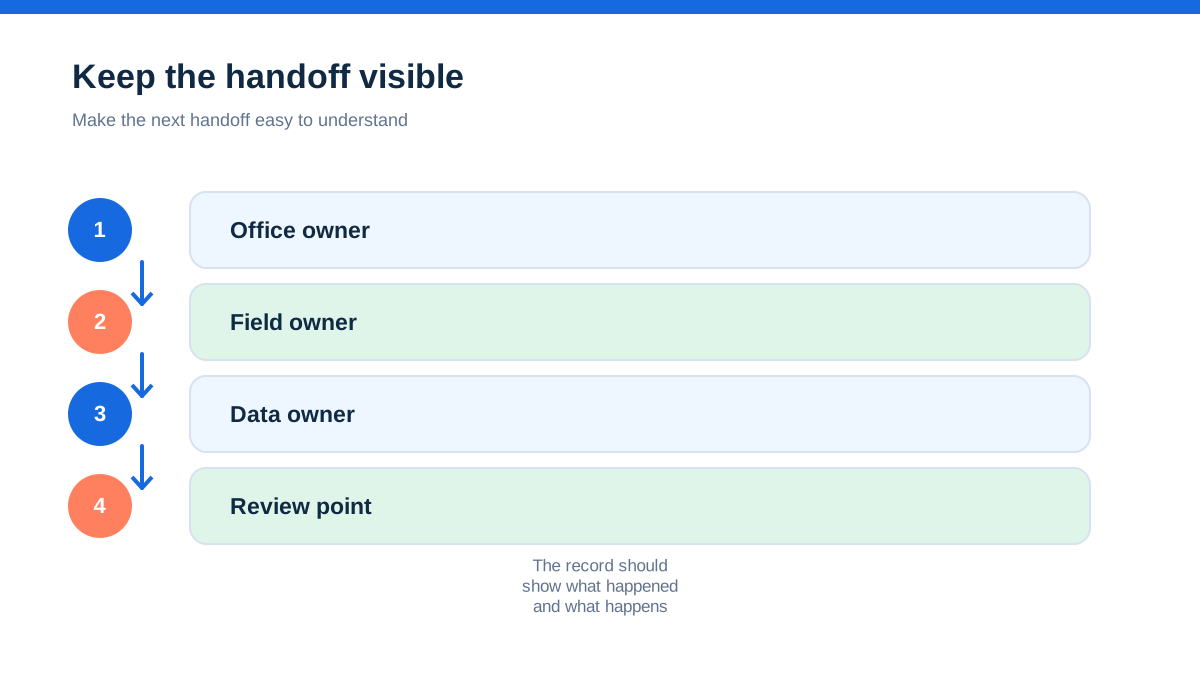
At each handoff, record five facts: who owns the next action, what information is visible, what has to be re-entered, where cost is recorded and what the customer receives. Ask the engineer, coordinator, estimator and finance person to score the workflow separately. Their disagreement is useful evidence. It shows where implementation may stall.
Then test the exceptions. The asset has no serial number, the supplier price is missing, the engineer works without signal, the customer rejects one quote option, the subcontractor changes the completion date and the invoice is partly paid. Capture screenshots or written answers from the provider, but do not treat a sales promise as a verified product result until you have tested it in an agreed environment.
Price the full operating model. Include subscriptions, user and licence types, add-ons, setup, migration, training, support, payments, SMS, integrations, storage and any professional services. Keep one line for costs that are still uncertain.
Choose Commusoft when service continuity is the risk
Commusoft deserves the first serious demonstration when the business is built around ongoing service relationships. The strongest fit signals are recurring maintenance, commercial contracts, customer assets, mobile engineer records, offline work, digital forms, stock on vehicles, automated communication and the need to see true job profitability.[1][2][3]
It may also suit a business that has outgrown simple tools but does not want project complexity to define every workflow. Its official plans material describes a core product with tiered plans and add-on modules, plus contracted, monthly rolling and daily licence types.[1] That could be relevant where the workforce includes permanent staff, temporary workers or subcontractors. Confirm the actual commercial terms and whether the required capability is in the core plan or an add-on.
Do not choose Commusoft merely because the word “all-in-one” sounds reassuring. Verify contract billing, asset history, offline behaviour, forms, stock, engineer access, reports and integrations against your own operation. The platform will still require process design and training.
Choose simPRO when project and inventory control are inseparable
simPRO deserves the first serious demonstration when the business handles a mix of service, maintenance, installation and project work, and margins depend on detailed estimates, supplier pricing, stock movement, labour, contractors, progress billing and reporting. Its official pages describe these areas across the core platform and add-ons, including multi-company compatibility, takeoffs, data feeds, fleet tracking, maintenance planning, digital forms and SMS.[4][5][6]
It is especially worth testing when the business is moving beyond a single diary into several teams, locations, companies or complex commercial projects. That does not mean implementation is effortless. The official pricing page says setup fees apply and that cost depends on complexity, migration, training, support and add-ons.[4]
Do not choose simPRO solely because it lists more modules. If the organisation cannot maintain price lists, purchase orders, time records, job statuses and approval rules, the software will not create clean data by itself. Ask what the implementation team will configure, what your staff must own and how long the operational transition is expected to take.
The decision rule for a UK commercial trade business
Choose Commusoft first if the central commercial question is, “Can we deliver reliable recurring service, with the right customer and asset information, and know the true result of every job?” Choose simPRO first if the central question is, “Can we control a mixed service and project operation, including stock, purchasing, contractors, staged billing and detailed reporting, without losing the margin trail?”
The two products overlap in scheduling, quoting, mobile work, customer records, forms, asset information, invoicing and reporting. That overlap is why the decision must be based on the business's most expensive handoff. Map the contract, the asset, the stock, the engineer, the supplier, the project and the invoice. Then test the awkward version of the work.
There is no honest universal winner from public pages alone. Commusoft's published material gives a clear service-operations narrative and describes licence flexibility, onboarding, contracts, assets, mobile work and job costing. simPRO's published material gives a clear commercial field-service and project narrative, with deeper emphasis on inventory, supplier data, project controls, reporting, add-ons and implementation. Pricing and availability remain configuration-dependent for both.[1][4]
Before signing, obtain a current UK quote, confirm currency and VAT treatment, list every required module, document implementation and data migration costs, and agree what the field team will use on day one. A good decision is not the platform with the most impressive menu. It is the platform whose records remain trustworthy when the job changes, the supplier price moves and the customer asks for an answer.
Affiliate status: no affiliate links are used on this page. Provider links are direct sources only, pending programme approval.