Drafted for review. Last source review: 11 October 2026. No affiliate links are used in this article.
*Standalone provider review for UK tradespeople and small field-service teams. Checked 11 October 2026. This article is based on Joblogic's official pages and does not claim hands-on testing.*
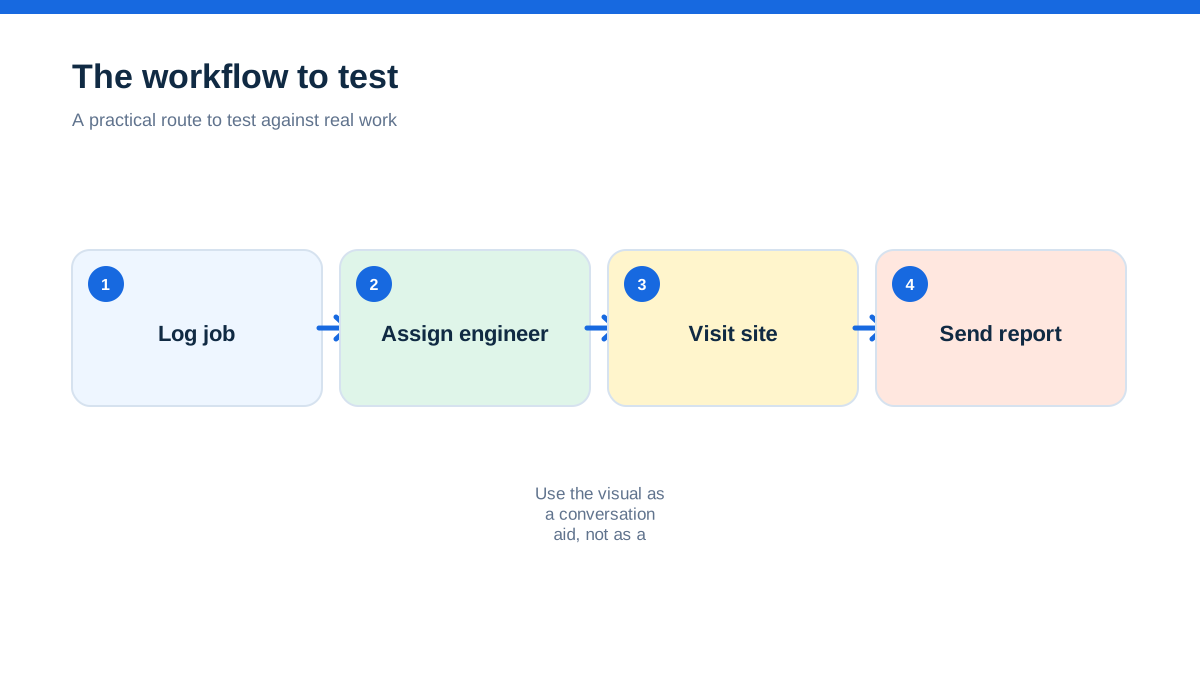
Joblogic is aimed at businesses that have moved beyond a simple diary and need the office, field engineers, customers, assets, compliance records, quotes and invoices to share one operational picture. Its official pages position the platform across reactive maintenance, planned preventive maintenance, field service, facilities management and more than 30 trade and service sectors.[1][3][4]
The short verdict is that Joblogic is worth investigating when your main problem is coordination between jobs rather than simply creating a quote. The public product material describes job and site management, asset records, mobile engineers, electronic forms, scheduling, job costing, quotes, invoices, recurring work, customer communication and reporting. The public pricing page gives a Standard example of £225 per month for a five-user team, while Premium and Enterprise are presented as discussion-led plans. Confirm the live commercial offer before making a decision.[2]
Joblogic is less obviously suited to a one-person business that only needs a basic quote and invoice flow. That is not because the official pages say a sole trader cannot use it. It is because the product is presented around field-service operations, contracts, assets, compliance, engineer coordination and operational visibility. The more of that work you actually do, the more relevant the platform becomes.
The job that disappears between the office and the van
Picture a maintenance company with several engineers, a handful of recurring contracts and customers who expect certificates or job reports after a visit. A job is logged, an engineer is assigned, a purchase order arrives late, the site has an asset history, and the invoice cannot be sent until the paperwork is complete. A planner wants to know what is outstanding while an engineer wants the right site details on a mobile device.
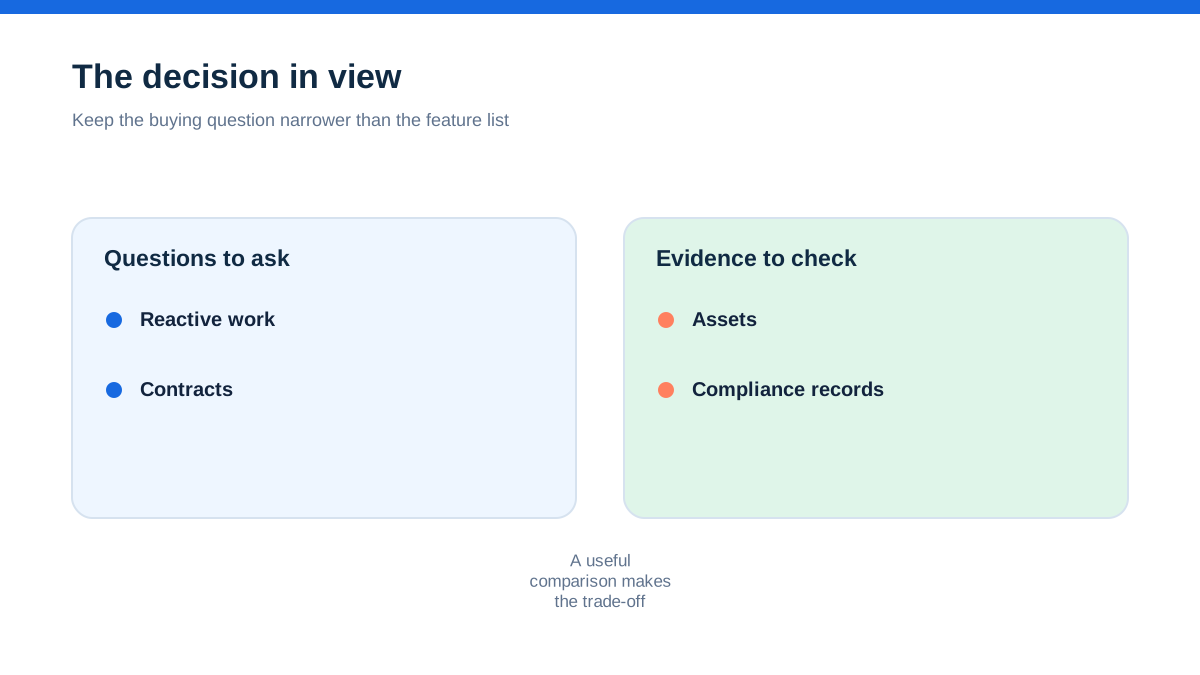
Joblogic's official homepage describes a system that connects jobs, engineers, assets, compliance, quotes and invoices. It also frames the operational problem as the gaps between work being completed, certificates being sent, engineers waiting for approvals and customers asking for updates.[1] The job-management page describes a filterable calendar, customer portal job creation, drag-and-drop assignment, dashboards, reports, customer alerts and customer portals.[3]
That gives Joblogic a distinct editorial angle. This is not only a digital diary. It is presented as an operating layer for service businesses with work moving through several people and records.
What Joblogic says it is built to handle
The official site groups the platform around contract management, service delivery, finance management and field engineers.[3] Its product navigation distinguishes Standard, Premium and Enterprise. Standard is described as fast job management for urgent, reactive maintenance. Premium adds live tracking, intelligent scheduling and mobile management. Enterprise is described around resource allocation, automation, compliance and profitability.[3]
The pricing page provides a more detailed feature comparison. Core job management is shown across all three plans, including customer and site management, asset management, job management and costing, quotes and invoices, a mobile engineer app, standard electronic forms, recurring jobs and standard reports and dashboards.[2]
The same table places planned maintenance contracts, route scheduling, engineer tracking, timesheets and audits in Premium and above. Enterprise adds schedule of rates, group invoicing, advanced reports and dashboards, purchase-order approvals and limits, goods-received notes, stock management, paybands, a customer portal, task and asset compliance and a custom form builder.[2]
The important caveat is that feature tables describe plan availability, not the quality of implementation in your business. They are useful for narrowing a shortlist. They are not a substitute for seeing your own workflow inside the product.
Why reactive work is a natural starting point
Reactive maintenance creates pressure because the customer wants a response now, while the office needs enough information to send the right person with the right context. Joblogic's public material describes job logging, scheduling, job tracking, mobile access, automated alerts, customer notifications and access to job details on site.[1][3]
The job-management page says managers can use a filterable calendar and search to find team members with suitable availability and skill. It also says a customer portal can create a job in the system, after which a user assigns it through a drag-and-drop interface.[3] Those are relevant capabilities for businesses where the phone call, booking, dispatch and field record need to stay connected.
Joblogic's Standard plan is explicitly described as suited to urgent, reactive maintenance, and the pricing table includes the basic operational building blocks needed to create and manage jobs.[2][3] A small service team should still ask how many office users, mobile users and customer-facing users are included, because a platform's fit can change when the business grows beyond the initial setup.
The point where planned maintenance changes the conversation
Planned preventive maintenance creates a different problem from a one-off repair. The system must remember the contract, the site, the asset, the recurrence pattern, the compliance requirement and the evidence that the visit happened.
Joblogic's Premium material describes PPM contracts, recurring work, asset history, compliance forms, route scheduling and engineer tracking.[2][4] The Premium page says recurring maintenance tasks can be scheduled, assigned and completed through automated job creation. It also describes asset history, compliance requirements, digital forms, reports and GPS tracking.[4]
This does not mean every business needs Premium. It means the plan boundary matters. A business can be perfectly happy with Standard for reactive jobs and then discover that recurring contracts, route planning, audit records or purchasing controls sit in a different plan. Map your most important recurring workflow before choosing the entry tier.
The aha is that planned maintenance is not simply “more jobs”. It is a promise to remember obligations over time. The right product is the one that keeps the contract, asset, engineer, form, invoice and evidence connected when the original scheduler is busy or away.
Asset history is useful only when it reaches the engineer
For equipment-based work, the customer is not buying a visit in isolation. They are buying confidence that the engineer understands what was installed, repaired, inspected or serviced before.
Joblogic's official pages list asset management across its plans and describe access to equipment registers, site histories, maintenance records, warranty details, QR scanning and service history.[1][2][4] Its product material says engineers can access job details, forms, photos, signatures and certificates through the mobile app. The Premium page describes centralised asset information and compliance tracking.
The practical test is whether an engineer can find the right asset without asking the office to reconstruct the site. Check how assets are created, searched, updated and connected to jobs. Check whether old photographs, certificates, notes and service dates are visible in the field. Check what a customer receives after the job is complete.
Do not infer that every industry certificate or regulatory workflow is automatically covered because the site lists compliance features. Ask about the exact trade, form, certificate type, retention period, approval route and reporting requirement you have to meet.
The mobile app is the handover point
Joblogic's pages describe a mobile engineer app, offline operation, mobile job management, forms, photos, signatures, certificates and access to site histories.[1][3][4] The job-management page says engineers can access job details and systems through mobile apps, while the broader product material describes a mobile workflow that sends information back to managers and customers.
This is where many field-service purchases succeed or fail. A feature can exist in the platform and still be difficult to use when an engineer is wearing gloves, working in a plant room, or dealing with poor connectivity. Joblogic's official pages say its mobile app works offline, but your trial or demo should reveal which data remains available offline and when updates sync.[1]
Ask a field engineer to open a scheduled job, view the site and asset history, complete the relevant form, add a photograph, capture a signature, record parts or labour, and mark the work ready for office review. Then disconnect the device and repeat the parts that matter. Record every point where the engineer needs a workaround.
Scheduling and route control are not just calendar features
Joblogic's public pages describe drag-and-drop scheduling, filterable calendars, route scheduling, engineer tracking and a Dynamic Scheduler product described as AI-powered.[1][2][3] The Premium page also describes route optimisation and scheduling based on location, availability and urgency.
These features are relevant to teams where travel, skills and service-level commitments affect the day. They are less important to a business where the same person completes one or two local jobs without a dispatcher.
The official pages do not prove that Joblogic will find the ideal route for your geography. They also do not prove that the Dynamic Scheduler will fit every manual planning rule. Ask the provider to schedule a real day containing emergency work, a fixed appointment, a specialist skill, a return visit, a site-access window and a job requiring particular equipment.
Watch what the planner can override. Automation is useful when it respects human judgement and makes the reason for a change clear. A clever route that ignores customer access or engineer capability is not an operational improvement.
The financial workflow reaches beyond sending an invoice
Joblogic's core feature table lists job costing, quotes and invoices on every plan.[2] Premium adds purchase orders and invoicing, while Enterprise adds purchase-order approvals and limits, goods-received notes, stock management, group invoicing and schedule of rates.[2]
The job-management page also describes subcontractor quotes and invoices, invoice status tracking and customer payments through portals.[3] These capabilities matter when a service business has to connect work completed, materials used, supplier commitments, subcontractor performance and the final customer invoice.
The right question is not whether Joblogic can generate an invoice. Ask how the invoice is built from job completion, labour, materials, purchase orders, contract terms, variations and customer approval. Ask what remains pending if a form is incomplete. Ask who can change a cost, who approves a purchase order and whether the system leaves an audit history.
The official pages do not provide enough information to declare a specific accounting integration, fee, tax treatment or data-export behaviour. Those belong on your verification list rather than in a confident review sentence.
A careful review also needs a boundary. The public material does not establish a guaranteed return, a universal productivity gain or a particular implementation time. Treat the published capabilities as a shortlist signal, then verify the workflow with your own team.
Customer communication is part of the product promise
Joblogic describes automated customer alerts triggered by events and customer portals for quote approval and online payment.[3] Its official pages also mention customer access to job progress, job status, reports, photos, service sheets, asset information and branded invoices.[1]
For a small team, this could reduce the number of calls asking whether an engineer is on the way or whether paperwork has been sent. It could also create a more consistent customer experience when several office staff share the workload.
The risk is assuming that every message should be automated. Ask which events trigger alerts, how templates are controlled, whether a customer can see internal notes, and how the business handles failed delivery or a sensitive job. A customer portal can improve transparency only when its permissions reflect the way your contracts work.
Pricing is clearer than a slogan, but still needs a quote check
Joblogic's checked pricing page presents three plans. It gives a Standard example of a five-user team at £225 per month. It says Premium will be discussed in the call and Enterprise is custom. The page also includes a feature table, describes per-user pricing and says a user is someone who logs in, including office staff, engineers and managers. Customers, subcontractors and suppliers using a portal are described separately.[2]
The same page says onboarding can be self-serve on Standard, guided on Premium and more extensive on Enterprise. It also says an onboarding fee can apply in some projects, particularly where integrations and configuration add complexity.[2] Those conditions are important for a UK buyer because the software subscription is only one part of the implementation decision.
The public page also describes optional applications and a marketplace containing more than 70 apps, modules and integrations. Do not treat that number as a promise that every module is included in your plan. Ask which products, industry packs, integrations, data migration services, training and support arrangements are in the quote you receive.[2]
No unsupported total cost can be calculated from the public pages. The honest comparison is to request a written quote for your actual number of office users, mobile engineers, contracts, forms, integrations, onboarding needs and billing term.
Where Joblogic may be too much
Joblogic's public material is broad because it is aimed at operational complexity. That breadth may be unnecessary if your business mainly needs a simple customer list, quote, diary, invoice and accounting connection.
A sole trader should ask whether the terminology, configuration and plan structure make daily work clearer or create another system to maintain. A two-person team should ask how much time will be spent setting up assets, forms, contracts and permissions compared with the time those records will save. A larger operation should ask the opposite question: whether the platform can carry the compliance, scheduling, procurement and reporting detail that has become non-negotiable.
These are fit questions, not claims about usability. The official sources do not provide independent testing, so TradeJobGuide cannot say that Joblogic is easy for every team or that implementation will be quick. The provider does describe self-serve resources, guided onboarding and dedicated implementation support at different plan levels.[2]
A careful Joblogic review should not convert marketing copy into guaranteed business outcomes. The official sources do not establish a universal reduction in admin, a particular increase in profit, a guaranteed first-time-fix rate, or a guaranteed return on investment for your company. Some pages contain provider statements and customer examples, but those are not independent benchmarks.
The public pages also do not settle every question about offline data, permissions, data retention, API limits, exports, mobile-device requirements, accounting integrations, support response, contract terms or implementation effort. Where the information is not available on the checked official pages, ask directly and record the answer.
The platform is clearly presented as more than a basic job diary. It is equally clear that a decision should be based on your actual service model. Avoid buying a compliance and operations platform simply because the feature list is impressive if the business does not need those controls.
A hands-on method for a fair Joblogic evaluation
Use a real job family from your business, not a blank demonstration record. Remove personal information, then ask for a demo or trial that follows the same route every time. The objective is to see the handoffs between office, field, customer and finance.
- Log a reactive job against a real site and customer type.
- Add an asset, its service history and the form or certificate your engineer normally completes.
- Assign an engineer with a particular skill and schedule the visit inside a realistic day.
- Change the appointment, add a return visit and record a customer update.
- Complete the field record with offline notes, photographs, a signature, labour and parts.
- Review the job in the office, approve any purchase order or subcontractor cost, and create the invoice.
- Open the customer view and check exactly what evidence, status and documents are visible.
- Produce a report for an operational question your manager already asks, such as overdue work, contract compliance or unbilled jobs.
Have three people watch separately: a planner, a field engineer and the person who owns the numbers. Each should write down where the system prevents an error, where it demands duplicate entry, and where the provider must confirm a plan or configuration condition.
This method is intentionally practical. It will tell you more about fit than a generic feature matrix, without pretending that a short evaluation is independent product testing.
Who should shortlist Joblogic first
Joblogic should be high on the shortlist for a service contractor with multiple engineers, recurring maintenance, asset histories, customer portals, compliance evidence, purchase orders, field forms or a need to connect job completion with invoicing. Those are all areas the official pages emphasise.[1][2][3]
It may also suit a business growing from reactive work into planned contracts, provided the team is ready to define its workflows and confirm the plan boundary. Standard is positioned around core reactive job management. Premium adds planned maintenance, route scheduling, tracking, timesheets and related controls. Enterprise adds deeper procurement, stock, compliance, portal and reporting features.[2][3]
For a very small trade business, start by proving that the operational detail is genuinely needed. If the main pain is only sending quotes and invoices, a narrower platform may be easier to justify. If the main pain is lost records, repeated customer calls, missing certificates, idle engineers or unbilled work, Joblogic's scope becomes more relevant.
Final verdict: Joblogic is about the gaps around the job
Joblogic's strongest case is not a single feature. It is the way its official product pages connect the work around a field visit: customer and site, asset, contract, engineer, schedule, form, evidence, invoice and report.
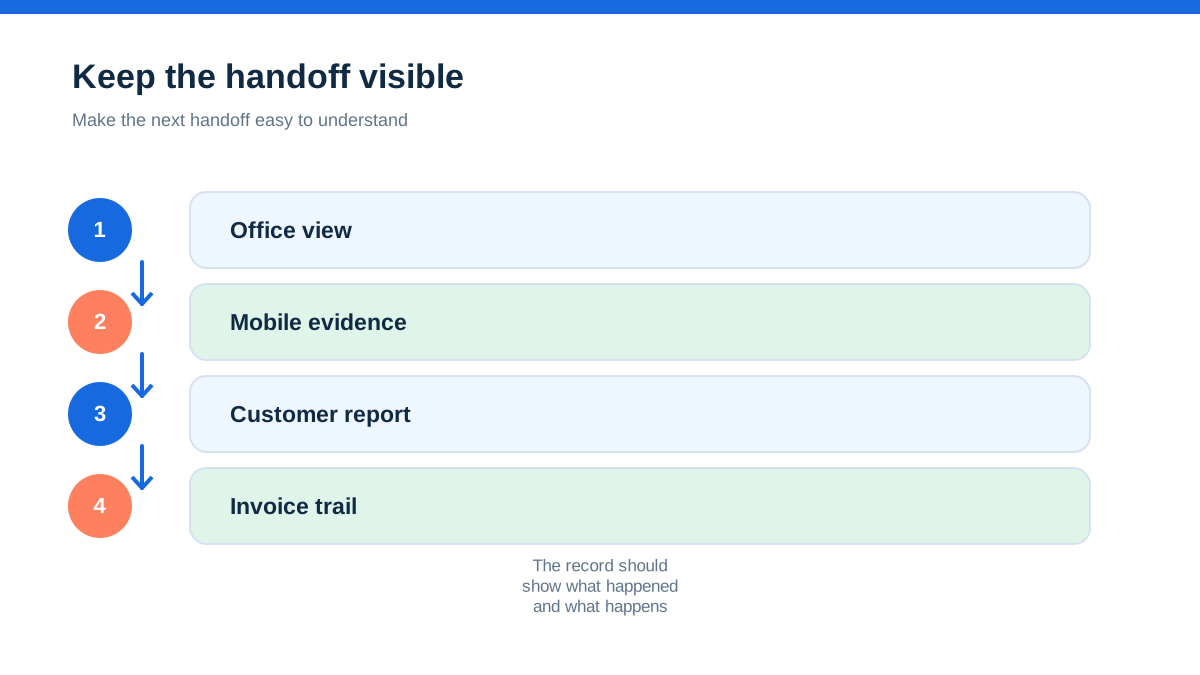
The real aha is that service businesses rarely lose margin because an engineer cannot complete a repair. They lose it in the handoffs: a certificate not sent, a purchase order not approved, an asset history not found, an appointment not updated, or a completed job that waits for billing. Joblogic is explicitly designed around those handoffs.[1][3]
That makes it a serious candidate for growing UK field-service operations, not an automatic recommendation for every tradesperson. Confirm the plan, user model, onboarding, integrations, offline behaviour, support and total commercial terms. Then run one real job family through the system with the people who will actually use it.
If Joblogic makes the office and field share one reliable record without forcing your team to maintain a second shadow process, it may be the right kind of complexity. If it adds configuration without solving the specific gaps that cost you time or cash, keep looking.
- [1] : Joblogic official UK homepage (11 October 2026)
- [2] : Joblogic official UK pricing page (11 October 2026)
- [3] : Joblogic official job management page (11 October 2026)
- [4] : Joblogic official Premium product page (11 October 2026)
Affiliate status: no affiliate links are used on this page. Provider links are direct sources only, pending programme approval.