Drafted for review. Last source review: 11 October 2026. No affiliate links are used in this article.
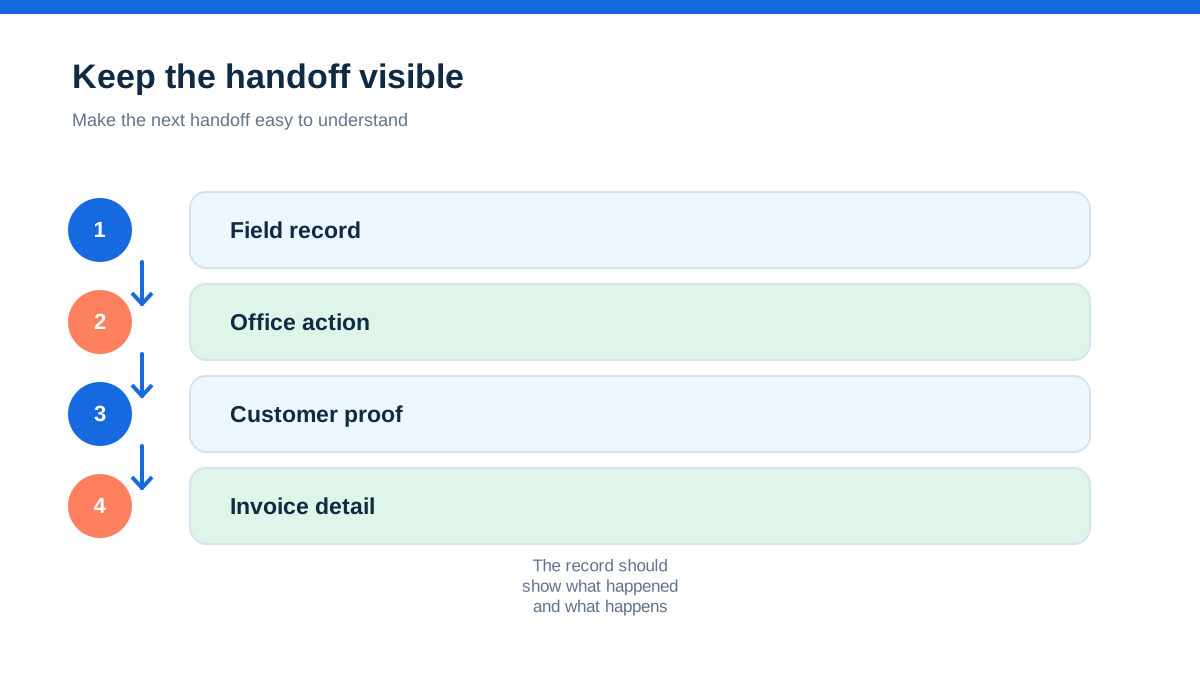
A mobile job sheet is easy to misunderstand. It looks like a paper form moved onto a phone, but the useful version is more ambitious. It is the handover between the person doing the work, the person billing it, and the customer who needs to understand what happened.
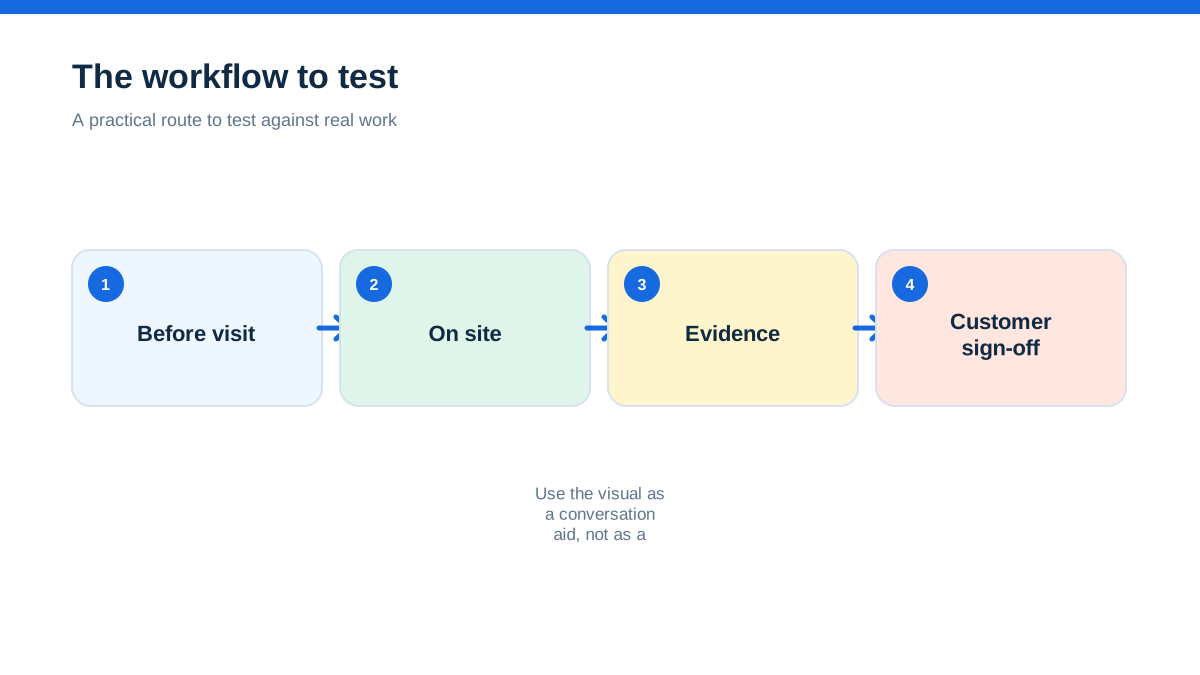
That distinction matters. If the engineer writes a rushed paragraph at the end of a long day, the office still has to translate it into materials, labour, customer communication and an invoice. If the engineer records the right evidence at the right moment, the same job can move forward without a second telling of the story.
The practical aha is this: a good mobile job sheet is not a record of everything that happened. It is a record of the decisions the next person must not have to guess.
This guide is for UK trades and small field-service businesses using phones or tablets on domestic, landlord and small commercial work. It is not a product ranking or a recommendation to buy a particular platform. The method works with a suitable job-management app, a structured form, or a carefully designed digital template. Provider features change, so check the current documentation before choosing software.
The Friday afternoon argument starts with one missing sentence
Picture a familiar handover. An engineer has replaced a failed pump, taken two photographs and sent a message saying, “All sorted.” On Friday afternoon, the office tries to invoice the customer. Was the pump supplied from van stock or bought locally? Was the old part left on site? Did the customer approve the extra work? Was the system tested after the repair? Which photo shows the final condition?

Nobody is being careless. The engineer remembers the job. The office knows how to raise an invoice. The customer probably saw the work happen. The problem is that each person holds a different fragment of the same event.
A mobile sheet fixes this by giving the fragments one home. The job number, site, agreed scope, arrival condition, work completed, materials, test result, customer comments and sign-off belong to the same record. The sheet does not need to become a miniature novel. It needs to close the gaps that create a phone call later.
Start by listing the five questions that most often send your office back to an engineer:
- What was found when you arrived?
- What exactly was changed or repaired?
- Which materials were used and in what quantity?
- What remains outstanding or needs a separate quote?
- Did the customer see and accept the work completed today?
Those questions are the skeleton of the form. Everything else should earn its place.
The job record should begin before the van moves
The first useful entry is not the arrival time. It is the job brief that reaches the field worker. A vague brief creates a vague sheet because the engineer cannot tell which detail will matter to the office or customer.
Create a single job record with a stable reference, customer name, site address, contact person, access information and the agreed scope. Add the quoted allowance or authorisation limit where relevant. If the job came from a phone call, copy the customer’s wording into a short “reported issue” field, then add a separate “requested outcome” field. “No power upstairs” and “restore lighting to first-floor landing” are not the same instruction.
Use a small set of status labels that everyone understands. For example: booked, on site, awaiting approval, work complete, needs return visit, ready to invoice and paid. Do not create a status for every emotion the office experiences. A status is useful when it changes what somebody does next.
ServiceM8 describes a workflow that runs from client call through job creation, scheduling, field completion, invoicing, payment and reconciliation, with notes, photos, videos, checklists, PDF reports and sign-off captured along the way.[2] The lesson is not that every trade needs the same platform. The lesson is that the job record should follow the work rather than being rebuilt at each department boundary.
Before the first field test, take ten recent jobs and write down which details had to be retyped between diary, messages, spreadsheet and invoice. Those repeated details are strong candidates for fields in the mobile sheet.
The arrival photograph changes the question from “what happened?” to “what was there?”
An arrival photograph is useful when it proves context. It might show the damaged fitting, the consumer unit before alterations, the plant-room panel, the water stain, or the condition of a repaired surface. It is not useful merely because the app can accept an image.
Ask the engineer to capture one wide context image and one close detail when the condition is relevant to the job. Add a short note that answers three things: what is visible, where it is, and why it matters. “Photo of unit” is weak. “AHU-2 isolator, east plant room, loose gland visible before work” is stronger, provided it is accurate.
The arrival record protects both sides. It can show that damage was present before the repair, that access was obstructed, or that an item was already incomplete. It can also stop the business from claiming completion when the starting condition was never recorded.
Do not turn photography into a burden. Set a rule such as “one context image when condition, access or protection could later be disputed.” The engineer should be able to follow it without stopping to ask whether every wall deserves an album.
Build the form around decisions, not paragraphs
The best mobile form feels like a short conversation. It asks the field worker to choose, confirm or add a small piece of evidence. It does not ask for a blank box labelled “notes” and hope that a consistent record emerges.
A practical form can have these sections:
- Arrival: time on site, person met, access issue, starting condition and safety concern.
- Diagnosis: reported fault, inspection finding, likely cause if known, and uncertainty that remains.
- Authorisation: work within agreed scope, extra work requested, approval person and approval reference.
- Work completed: concise description, location, parts fitted, parts removed and protection or reinstatement.
- Verification: test or functional check performed, result, limitations and next action.
- Customer handover: explanation given, outstanding work, customer comment and sign-off.
Make required fields rare and deliberate. If every box is mandatory, engineers will enter filler to escape the screen. Require a value only when an empty field would make the record unsafe, unbillable or misleading.
Use plain labels. “Customer acceptance” is clearer than “closure attestation”. “Extra work approved by” is clearer than “variation authoriser”. A form is a tool for a busy person wearing gloves, not a compliance exam.
This is where paper often loses. Paper can hold a thorough form, but it cannot automatically route a completed report, attach a signature, alert the office to a failed test or show the history of the same asset without more admin. A mobile form can do those things only if the underlying workflow is designed first.
Let the engineer write in the order the work happens
A hands-on method helps more than a long policy. For a month, use a four-pass job sheet and review the results every Friday.
Pass one, before touching anything: confirm the job brief, record the arrival condition and capture evidence only where it adds context. If access, isolation or scope is unclear, record the issue before starting.
Pass two, when the diagnosis is clear: write the finding in one sentence. Use a separate field for uncertainty. For example, “Pump does not start when commanded; supply present at local isolator” is a finding. “Pump definitely failed due to voltage spike” is a stronger conclusion that requires evidence.
Pass three, while closing the job: record actual work, materials and checks. Do not rely on memory at the end of the day. If an extra item was approved, capture who approved it and how.
Pass four, before leaving: explain the outcome, record what remains open and ask the customer or site contact to sign the job report when appropriate. A signature confirms the handover event. It does not turn an uncertain technical opinion into a fact.
Run this routine on ten jobs, then remove fields that never help anyone. Add fields only when a repeated failure shows that a decision is still being guessed. That is how the sheet becomes short without becoming thin.
The signature is a checkpoint, not a verdict
Customer sign-off is frequently treated as the end of the job. It is better understood as a checkpoint in the handover. The customer can confirm that the work described was discussed, that the site was left in the stated condition, or that an outstanding issue was explained. They are not necessarily certifying the technical correctness of every measurement.
Tradify’s mobile help documentation says its app can capture a signature on job sheets and service reports, place the signature on the document, and send the report to the customer. It also notes that the job sheet can be sent without showing prices or costs.[1] That is a useful distinction for trades: the service report and the commercial invoice do not have to be the same document.
Set the wording on your sign-off screen carefully. “I confirm that the work described above was discussed with me” is different from “I certify that the installation complies with every applicable requirement.” Use wording that matches your contract and professional obligations, and get advice if the wording has legal consequences.
If the customer refuses to sign, do not manufacture agreement. Record the refusal, the person present, the work explained and any reason given. A complete refusal record is more honest than a blank space disguised as acceptance.
The no-signal moment is where a digital process proves itself
A form that works only in a strong signal area is not a field process. Test the exact route in a basement, plant room, new-build shell and rural location. Find out whether the app can display the job, save notes, take photographs, capture a signature and queue the record for later synchronisation.
Give engineers a simple rule for failed synchronisation: keep working from the local record, do not create a second job in a messaging app, and tell the office when the record has uploaded. If a platform cannot work offline, provide a controlled fallback rather than pretending the issue does not exist. A numbered paper sheet or secure note can be scanned and attached later, but the fallback must have a job reference and a named owner.
Also check device realities. Can the worker read the form in bright light? Can a gloved hand select the right option? What happens when a photograph is large? Can an engineer correct a mistake without deleting the whole record? Does the office see a partial update or only the final submission?
The practical test is not a sales demonstration. Take one device to a difficult site and complete a real-looking dummy job from assignment to customer report. A process that survives that test is worth more than a list of features.
Photos are useful until they identify the wrong person
A job sheet commonly contains names, addresses, phone numbers, photographs, signatures and sometimes information about a vulnerable occupant. The ICO says photographs, names, addresses and customer reference numbers can be personal data when they identify a living person or can be combined with other information to identify them.[4]
That does not mean a trade should stop taking photographs. It means the business should decide what it collects, why it needs it, who can access it, how long it keeps it and how it handles requests or incidents. Build those decisions into the form design.
Ask engineers to frame equipment rather than people when the person is not relevant. Do not photograph identity documents, children, medical information or unrelated rooms. Use a customer-facing report that contains the necessary evidence, not the whole internal photo library. Give staff individual logins and remove access when someone leaves. Turn on device security and make sure lost devices can be locked or wiped where the platform supports it.
Write a short retention rule in ordinary language. For example, job records are retained for the period advised by the accountant and contract requirements, while unnecessary working photographs are deleted sooner. Do not promise a retention period until you have checked tax, warranty, insurance, safety and contractual needs.
Privacy is not a separate office project. It starts with the camera angle on site.
Turn the completed sheet into an invoice without inventing detail
The invoice should draw from the completed work record, not from a second memory exercise. Pull through the job reference, customer, date, labour basis, approved extras, materials and any agreed payment terms. Keep technical narrative in the report where it helps the customer, and keep invoice lines clear enough to match the agreement.
The separation matters for trust. A customer may need a detailed report but a short invoice. The engineer may need an internal note about a suspected cause that is not yet confirmed. The office may need a purchase receipt for the material but not attach the supplier’s whole account document to a customer email.
ServiceM8 presents field completion as a point where labour and items can be added, a branded invoice produced and customer sign-off collected, followed by accounting synchronisation.[2] Treat that as a workflow pattern, not a promise that every integration will behave identically. Check whether your chosen system passes invoice numbers, tax details, payment status and attachments correctly, and reconcile the first few records manually.
HMRC says self-employed businesses must keep accurate records that identify business transactions, including sales, income, expenses and supporting proof such as receipts, bank statements and invoices.[3] A mobile job sheet is not a substitute for accounting records. It is a useful source of operational evidence that should feed a controlled bookkeeping process.
Run a 15-minute Friday audit before buying more software
At the end of each week, choose three completed jobs and ask someone who did not attend them to answer five questions using only the record:
- What was the customer asking for?
- What was found?
- What was done and what was charged?
- What evidence supports completion?
- Is anything still open?
Score each answer as clear, partly clear or missing. Do not blame the engineer. Look for design failures. If “materials used” is missing on half the jobs, the solution may be a better field rather than a reminder email. If the office cannot see approved extras, the approval route is wrong. If customers ask the same follow-up question, the report needs a clearer handover section.
Track two simple measures for four weeks: the number of office queries per completed job, and the time from job completion to invoice-ready status. The numbers are not a promise of savings. They are a way to test whether the new record actually reduces rework.
The small pilot tells you whether the sheet earns its place
Do not roll a new mobile job sheet across every trade and every job type on day one. Pick one repeatable service, one engineer and a small run of jobs. Include a difficult location and at least one job with an extra approval or customer sign-off.
Before the pilot, write down the current failure points. During it, observe where the engineer pauses, skips, duplicates or leaves the app. After it, compare the completed records with the invoices and customer reports. Ask the engineer which field helped and which field felt pointless.
Keep the design if it makes the next action obvious. Change it if it merely makes the record longer. A mobile job sheet has done its job when the office can continue the work without asking the engineer to retell it, and the customer can see a fair account of what was done.
The best result is not a perfect digital form. It is a quiet handover: clear evidence, honest uncertainty, accurate billing and no Friday afternoon reconstruction.
- [1] Tradify Help Centre, “How To Obtain Sign-Off For Jobs on Tradify Mobile” (11 October 2026)
- [2] ServiceM8 UK, “Tradespeople & Service Business App” (11 October 2026)
- [3] GOV.UK, “Business records if you're self-employed: What records to keep” (11 October 2026)
- [4] Information Commissioner's Office, “Data protection principles, definitions, and key terms” (11 October 2026)
Affiliate status: no affiliate links are used on this page. Provider links are direct sources only, pending programme approval.