Drafted for review. Last source review: 11 October 2026. No affiliate links are used in this article.
Choose Software draft for TradeJobGuide Audience: UK trade businesses with about five people using or relying on the job system Last checked: 11 October 2026 Commercial status: No affiliate links. Provider URLs in the Sources section are official sources only.
Job-management software for a five-person team is a different purchase from software for a sole trader. The owner may still write quotes and visit sites, but the business now depends on several people seeing the same truth: what was promised, who is attending, what has been installed, what remains to do, which materials were used, what can be invoiced and who is responsible for the next action.
That is why “easy to use” is not enough. A five-person business needs a shared operating record. It needs a clear hand-off between enquiry, quote, scheduling, field work, office review and payment. It also needs a commercial view of jobs, because small leaks in time, materials and communication become visible only when more than one person is moving through the workflow.
Fergus presents its UK product as a per-user system for trade businesses, with job management, quoting, job cards, GPS, timesheets, supplier integrations, forms, phases and reporting in its plan material.[8][9] Tradify’s plan page shows features such as custom statuses, job files, quote options, progress invoicing, costing, timesheets and subcontractor scheduling on its higher tier.[6] Commusoft describes tiered plans, drag-and-drop dispatch, job costing, offline field use, forms, certificates, multi-option proposals and flexible licence types.[16]
The real decision is not whether five people can log in. It is whether the system makes ownership visible without forcing the owner to become a full-time traffic controller. This guide focuses on that change in operating maturity and gives you a rehearsal method for comparing platforms with your own team.
The morning call that exposes a team system
At 7.15am, a customer phones about a job that should have been completed the previous afternoon. The office sees “scheduled”. The engineer says the work was partly done and a part is on order. The person who quoted the job is driving. A photograph is in a WhatsApp thread. The invoice has not been raised because nobody knows whether the return visit is included.

Nothing here is an exotic field-service problem. It is a missing shared state. Each person has a fragment of the truth, and the business has no dependable place to ask, “What is the current position, who owns the next action and what can we safely tell the customer?”
That is the aha for a five-person team. The main value of software is not putting five diaries on one screen. It is turning private knowledge into visible work states with an owner, evidence and a commercial consequence. A good team system makes “waiting for part”, “ready to invoice” and “return visit required” more useful than a vague label such as “in progress”.
The implication is important. A feature that looks excessive for a sole trader can become basic control for a team. Shared job history, permissions, mobile updates, status rules, timesheets, attachments and reporting are not decoration when work crosses between people.
Count hand-offs before you count users
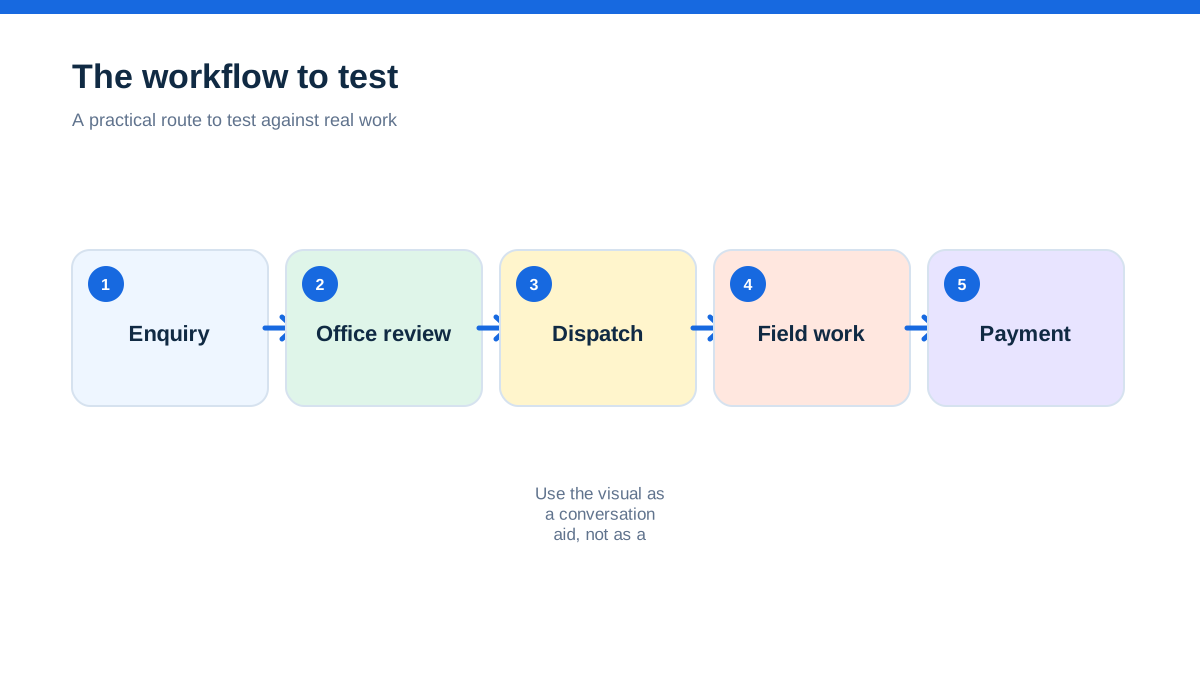
Start with the work, not the licence selector. Draw the path of a normal job on paper. Include the customer enquiry, survey or site visit, quote, acceptance, schedule, field notes, material request, completion review, invoice and payment follow-up.
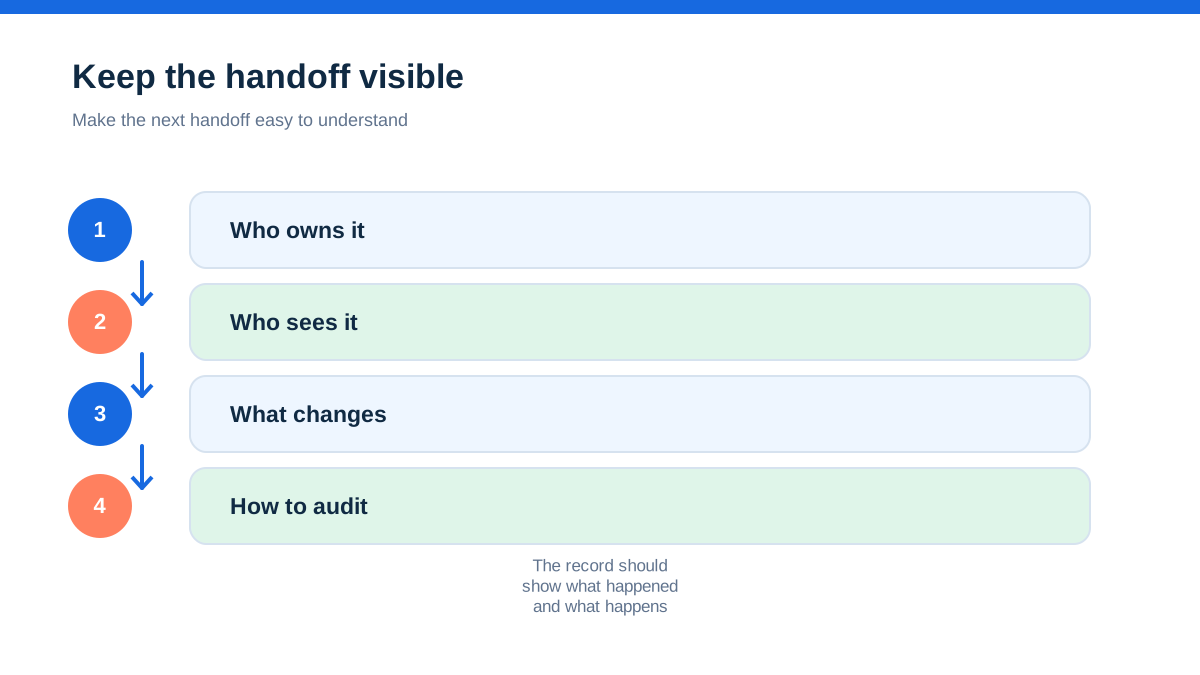
For each hand-off, write four things:
- the person who owns the work before the hand-off;
- the person who owns it afterwards;
- the evidence the next person needs;
- the event that allows the job to move forward.
For a small electrical contractor, that might look like an office coordinator creating the customer record, the estimator adding a survey and quote, the owner approving an unusual margin, a scheduler allocating the visit, an engineer recording work and the office checking completion before invoicing. A plumbing or building business will have its own version. The point is not to copy an industry template. It is to expose where your business currently depends on memory.
Then mark which hand-offs happen more than once a week. Those deserve the strongest tests. A team can tolerate a rarely used report being awkward. It cannot tolerate every completed job waiting for one person to interpret a photo or chase a missing time entry.
Commusoft’s UK plans page describes a single job-management engine with dispatch, routing, automated invoicing, job costing, offline mobile work, custom forms and certificates.[16] Simpro describes estimating, scheduling, job execution, invoicing and reporting as connected parts of its field-service platform, with estimating based on labour and materials pricing.[19] These are relevant because they speak to hand-offs rather than isolated task lists, but you still need to confirm how the actual account behaves.
Give the shared record a job number and a name
Before a trial, agree the minimum record that every person must be able to understand. Give it a consistent job title and reference. The title should identify the customer and work without exposing sensitive details in a phone notification.
A useful shared record usually includes:
- customer and site contact details;
- the exact location and access information;
- the requested outcome, not only a trade category;
- quote version and acceptance status;
- appointment window and assigned people;
- scope, exclusions and variations;
- material or supplier information;
- photographs, forms and customer correspondence;
- time, travel or other cost data where relevant;
- completion evidence and invoice status;
- a clearly named next action.
This is not an instruction to fill every field on every job. It is a way to distinguish information that prevents a return call from information that can wait. If the software makes the essential record hard to complete on a phone, the team will create side channels.
Tradify’s official feature page says its workflow can capture enquiries, turn them into quotes, schedule jobs, track notes, photos and videos, invoice and sync with accounting software.[7] Fergus says its UK product carries an enquiry through quote, materials, job photos, notes, checklists, costs and invoice.[9] Treat these as capability claims to verify in your own trial. The team test is whether the next person can understand a job without opening three unrelated apps.
Decide who needs a full seat and who needs visibility
Five people in the business does not automatically mean five identical full licences. One person may schedule work, another may quote, three may attend sites, and a subcontractor may need limited access for particular jobs. The safest choice is to model access by responsibility rather than by job title.
Ask each provider:
- What counts as a user or seat?
- Can a field worker update a job without seeing all financial information?
- Can subcontractors be added temporarily or billed by use?
- Can office staff see schedules and customer records without owning a field licence?
- Are permissions granular, or is access all-or-nothing?
- What happens when someone leaves?
- Does removing a user preserve their job history and audit trail?
Fergus’s UK pricing material describes per-user billing and flexible user options, including separate treatment for contractor and timesheet users.[8] Commusoft describes contracted, monthly rolling and daily licence types, with monthly licences that can be added or removed and daily licences aimed at subcontractors.[16] Those models may matter more to a five-person business than a small difference in headline subscription price.
Do not assume a low seat count means low cost. A five-person workflow can need five people to update records even if only one person sends invoices. Conversely, paying for identical access when a limited field role would be sufficient can distort the budget. Ask for a written account-specific quote that states users, modules, onboarding, payment fees, taxes and any minimum term.
Let the schedule show capacity, not just appointments
A shared calendar answers “When is the job?” A team dispatch system should help answer “Who can do it, with what information, in which area and with what consequence for the rest of the day?”
Test the schedule with a deliberately awkward week. Put in a fixed appointment, a reactive job, annual leave, a job needing two people and a visit that depends on a part arriving. Then move one appointment. Watch what updates and what remains stale.
ServiceM8’s scheduling material describes a staff and job view, drag-and-drop allocation, dispatch notifications, booking windows, travel reminders and external calendar imports.[4] Tradify describes a live view of staff work, assignment, route planning and team communication.[7] Commusoft lists drag-and-drop dispatch and intelligent routing in its UK plans material.[16] These features are useful only if the person taking the morning call can see the same change as the person driving to the job.
The five-person test is not whether a scheduler can create a neat week. It is whether a change creates fewer phone calls. Move a job after an engineer has opened it. Record a customer message. Add a second visit. Ask another team member to find the current version without telling them where you put it.
A product may support real-time updates but still require a disciplined team convention. Decide which person can change the appointment, which status means the customer has been contacted and where delays are recorded. Software does not replace ownership rules.
Treat mobile evidence as the team’s hand-over note
A field record should allow the next person to act. “Sorted” is not evidence. A photograph without a description may not explain what changed. A time entry without a job phase may not reveal whether the estimate was realistic.
During a trial, give each field user one normal job and one exception. Ask them to record the arrival, work completed, material used, customer question, unresolved item and suggested return action. Ask the office user to read the record without speaking to the field user. If the office still needs a phone call to know what happened, the hand-off has not worked.
Commusoft says its mobile app supports offline work, customisable forms and certificates.[16] Its electrical contractor page also presents digital forms and safety or compliance-related records as part of its trade workflow.[18] Jobber’s pricing material lists job details, attachments, checklists and field documentation.[12] Tradify describes files, photos, videos, notes and job tracking.[6][7]
These statements do not prove that every form or offline action is available on every plan. Ask which plan, device, operating system and connection conditions apply. If engineers use different phones, test the least capable device you expect to support. If a job takes place in a basement or rural location, test recovery after the device reconnects rather than assuming offline synchronisation will be seamless.
The goal is a record that is useful to the person scheduling the return, the person raising the invoice and the person answering the customer, without turning the engineer into a copywriter.
Make quoting a team control, not an owner bottleneck
In a five-person business, the owner often remains the person customers trust most. That does not mean every quote should wait in the owner’s inbox. The software should help the team prepare a complete proposal while giving the owner a clear place to review exceptions.
Define the things that need review. They might include a low margin, unusual payment terms, work outside your normal trade, an uncertain material price or a proposal with several options. Everything else should move through a repeatable quote template.
Tradify’s official pricing page lists quote options, online acceptance, quote and invoice templates, costing, bill tracking, timesheets and subcontractor scheduling on its higher plan.[6] ServiceM8’s quoting page describes multiple quote options, bundles, preset labour and parts, online acceptance and job costing.[3] Jobber lists customised quote templates, signature approvals and calendar reminders.[12]
The team exercise is simple. Give one person a customer brief and ask them to prepare the quote. Give a second person the same brief and ask them to review it without asking the first person what they meant. Compare missing assumptions, duplicated materials and unclear exclusions. Then accept the quote and see whether the job retains the approved version.
A good shared quote reduces debate by making the commercial choice visible. It should not remove professional judgement. Templates should accelerate standard work, not force a non-standard job into a misleading box.
Watch the margin after the job, not only before it
Five people make job costing more valuable because actual effort is no longer held in one person’s head. A quote may contain the right labour and materials on paper but still lose money through waiting, rework, travel, a forgotten supplier invoice or an unrecorded variation.
Test whether the system can connect budgeted labour and materials to what happened. Enter a small variation. Add a supplier cost. Record time against the correct job. Check whether the margin view changes and whether the owner can distinguish a price problem from a recording problem.
Simpro’s estimating page describes catalogue items, take-off templates, pre-builds, labour and materials pricing, quote progress and budgeted labour and material costs.[19] Fergus presents material pricing, supplier costs and estimated profit margin in its UK product material.[9] Those are useful concepts for a growing team, but ask how much setup is needed to keep the data current.
Avoid false precision. A dashboard is not accurate merely because it shows two decimal places. If the team does not record travel, rework, purchase invoices or variations consistently, the margin figure may look authoritative while describing an incomplete job.
Set a weekly review around three questions: which jobs are ready to invoice, which jobs have unapproved extra work and which jobs are consuming more resource than the quote assumed? A system that makes those questions easy can be more valuable than one with many reports nobody opens.
Choose a platform family that matches your maturity
A five-person team can sit in different places operationally. Headcount is only a proxy. Look at the type of work and the number of hand-offs.
Small service workflow. If most jobs are short, repeatable and residential, a focused field platform may be enough. ServiceM8, Tradify, Fergus and Jobber all present combinations of scheduling, quotes, job records, invoices, customer communication and payments in their official materials.[2][6][7][8][12] Compare mobile usability, seat rules, customer communication and the controls you actually need.
Trade business with growing coordination. If you have an office role, several engineers, repeat work, supplier costs and a need for job profitability, Fergus or Tradify’s higher tiers may be relevant, subject to plan confirmation.[6][8][9] The decision is not simply more features. It is whether the team can use common statuses, capture time and costs, and review the same job record.
Complex field-service or project workflow. If jobs involve surveys, assets, formal forms, certificates, multiple crews, significant estimating or more demanding reporting, compare Commusoft and Simpro alongside lighter systems.[16][17][18][19][20] A heavier platform may offer better control, but it also creates a larger implementation and training obligation. Do not buy complexity unless the business will use it.
Pricing is particularly uncertain at this boundary. Tradify’s checked pricing page displays per-user prices in US dollars and separates features by plan.[6] Fergus’s UK pricing page presents per-user plan information and additional user types.[8] Commusoft describes tiered plans and multiple licence types rather than a simple universal rate.[16] Simpro’s estimating page directs buyers towards a demo rather than presenting a single public price.[19] Get a written quote that states the exact edition, seats, modules, onboarding, contract term and taxes.
Run the five-person hand-off rehearsal
Use a real job with names and addresses removed. The exercise should involve the people who actually use the system, not only the purchaser.
The coordinator creates the enquiry. Give the record a clear name, location, brief and customer preference. The estimator must be able to understand it without a separate message.
The estimator surveys and quotes. Add a photograph, a material assumption, an exclusion and a second option. Mark what requires approval. Send the quote through the provider’s customer route if one exists.
The scheduler allocates the accepted work. Assign the right people, add a booking window and introduce a clash. Confirm what each field user receives and what the customer sees.
The field worker records the visit. Use the mobile app to record arrival, work, materials, photographs, a customer question and a return requirement. If the connection is unreliable, test reconnection.
The office reviews the record. Without asking the field worker, decide whether the job is complete, awaiting parts, ready for a variation or ready to invoice. Note the missing information.
The owner reviews the commercial result. Compare quoted labour and materials with actual entries. Add a supplier invoice or variation. Look for the place where the job could become unprofitable.
The customer receives the output. Open the quote acceptance, appointment message or invoice as a customer. Check wording, branding, attachments, payment choices and dates.
The team repeats the task with a change. Change the appointment, replace a team member and revise the scope. Check whether the original quote, schedule, job history and invoice remain understandable.
At the end, record five measures: duplicate entries, missing hand-off data, minutes spent chasing clarification, number of customer-facing corrections and time from completion to invoice. These are not industry benchmarks. They are your baseline for comparing products.
Plan the first month around one workflow
Implementation fails when a small team tries to digitise every historic job, create every form and import every supplier price before anyone has completed a clean live job. Start with one workflow that matters, such as enquiry to quote to scheduled visit to invoice.
Agree the minimum required fields. Name the status values in ordinary language. Decide who can change a booking, approve an exception, close a job and issue a credit. Train with one real example. Keep a shared list of friction and amend the workflow once a week rather than rewriting it daily.
Ask providers what onboarding includes. Fergus says its UK offer includes a one-to-one onboarding session.[9] Jobber’s pricing material describes onboarding support options.[12] Other platforms may provide training, a partner or a paid implementation service. Confirm what is included, how long assistance lasts and whether data import is part of the offer.
Export matters too. Before committing, ask for a sample export of customers, jobs, quotes, invoices, photos and notes. You do not need to plan an exit immediately, but a system that makes your own records difficult to retrieve deserves scrutiny.
Make the decision by the control you gain
For a five-person team, choose the platform that reduces private workarounds and makes ownership visible. A cheaper app that leaves job status in texts, photos in personal phones and materials in a spreadsheet may cost more in coordination. A powerful platform that nobody updates is not a control plane either.
A focused system may be enough for a small service team with straightforward jobs. Fergus or Tradify may be worth closer examination when trade-specific quoting, job costing, timesheets and customer communication are central.[6][8][9] Commusoft or Simpro deserve a serious comparison when dispatch, forms, certificates, survey-led estimating, detailed costing or more complex field operations justify a larger system.[16][17][18][19][20]
The final choice should survive the uncomfortable morning call. Can someone find the current truth? Can the field worker record what changed? Can the office see what is ready to invoice? Can the owner distinguish a bad quote from a bad hand-off? Can a new team member learn the rules without shadowing one person for weeks?
If the answer is yes, the software is doing more than replacing a diary. It is making the business less dependent on private memory. That is the point at which a five-person team has genuinely outgrown sole-trader software, even if the headcount still looks small.
Affiliate status: no affiliate links are used on this page. Provider links are direct sources only, pending programme approval.