Drafted for review. Last source review: 11 October 2026. No affiliate links are used in this article.
Choose Software draft for TradeJobGuide Audience: UK electrical contractors choosing software for estimates, quotations and the hand-off into work Last checked: 11 October 2026 Commercial status: No affiliate links. Provider URLs in the Sources section are official sources only.
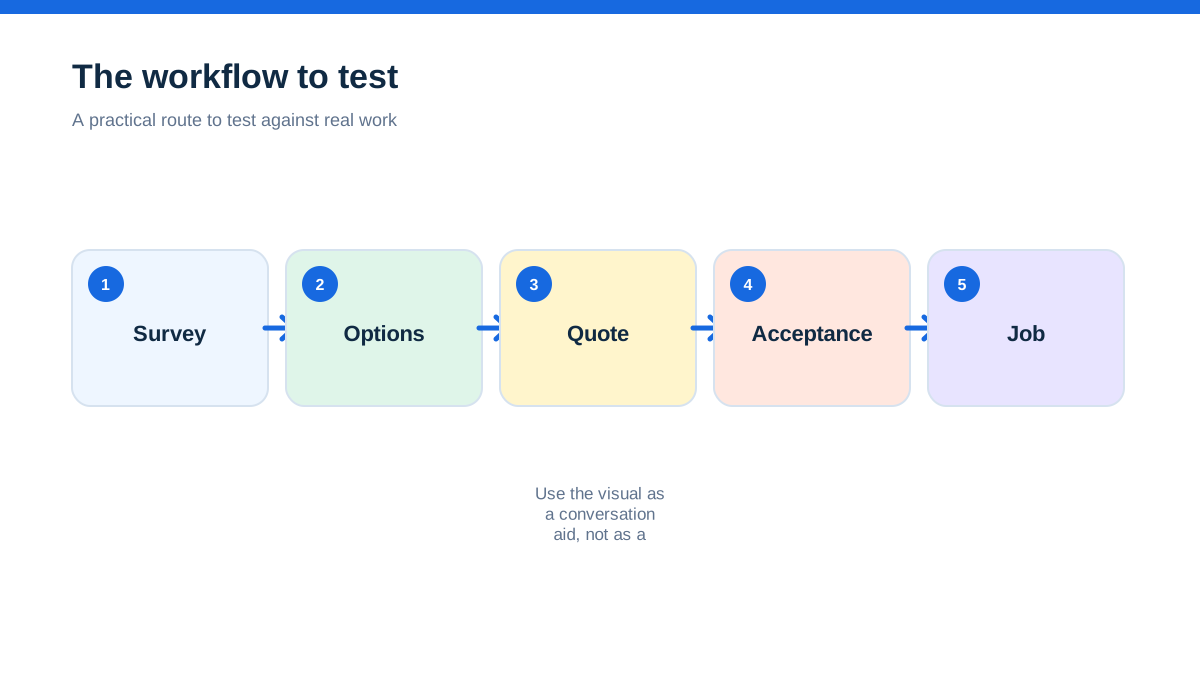
Quoting software for electrical contractors should do more than make a price look professional. It should help you capture the site facts behind the price, separate labour from materials, show options and exclusions clearly, preserve what the customer accepted and carry that information into scheduling, variations, completion records and invoicing.
Electrical work creates different quote types, from repeat repairs to surveyed projects and planned maintenance. The right tool must match the evidence, materials and approval each job needs.
ServiceM8’s official quoting page describes preset labour rates, standard parts, job-specific items, online acceptance, bundles, multiple quote options and a job-costing add-on.[3] Fergus’s UK electrical pages position its estimating workflow around supplier pricing, quote templates, job details and profit visibility.[10][11] Commusoft describes a survey-to-quote workflow with mobile photos, forms, notes, e-signatures, multi-option proposals and conversion from accepted quote to job.[17][18] Simpro’s estimating page focuses on catalogue items, take-off templates, pre-builds, labour and material pricing, quote progress and margin visibility.[19]
Choose the tool that preserves the decisions behind the price, then test the full route with one anonymised job.
The quote that looked complete until the first visit
A customer accepts a quotation for an upgrade. The price looks clear, the PDF has the company logo and the date is correct. On the first visit, the electrician discovers that access is tighter than expected, the route is longer, the board is not where the original note suggested and the customer thought making good was included.
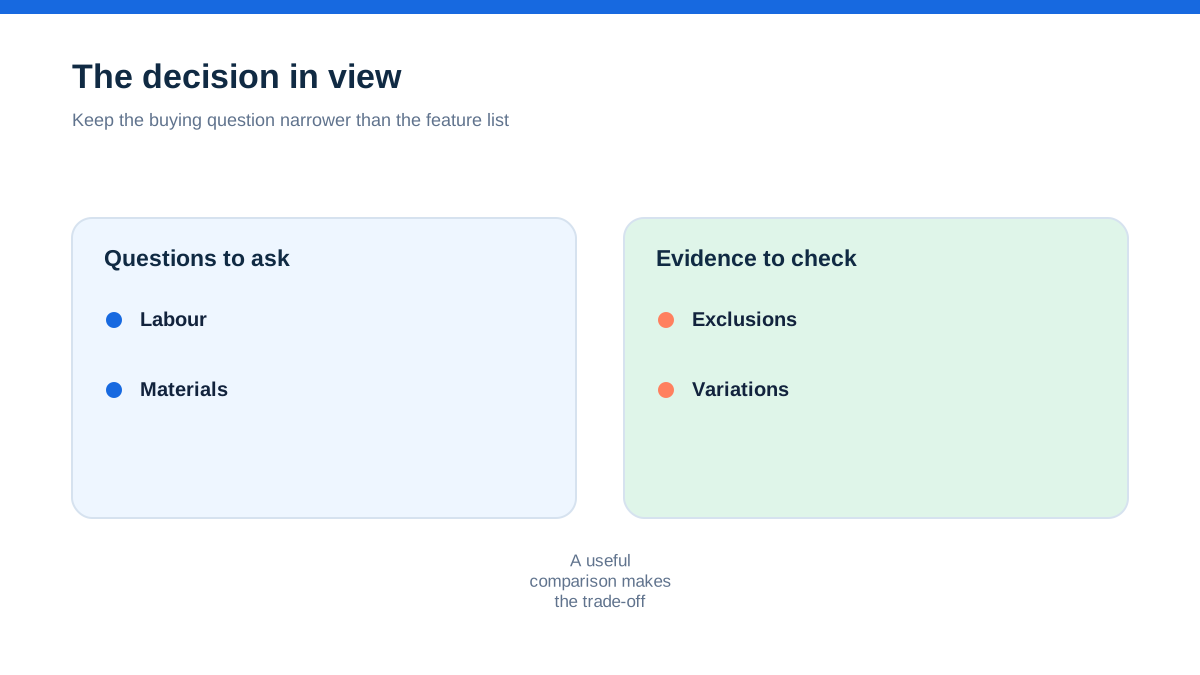
The problem is not necessarily that the contractor priced badly. The problem is that the quote did not preserve the assumptions behind the price. A number travelled forward while the evidence stayed in a notebook, an email or the estimator’s memory.
That is the aha. Electrical quoting software is valuable when it keeps the price attached to the reason for the price. A quote should help a second person understand what was seen, what was assumed, what was excluded and what the customer accepted. A polished document is the output. The real asset is the structured decision underneath it.
This changes what you test. Do not begin by asking whether the software creates a branded PDF. Begin by asking whether you can recreate the last difficult quote without opening five other systems. Then ask whether the accepted proposal can guide the person who schedules and completes the work.
Name the quoting job before choosing the tool
Write down the last twenty quotes you sent and group them by how they are created. You may find four different patterns.
The repeatable service quote uses known labour, common parts and a short description. Speed, customer communication and quote-to-invoice continuity matter most.
The surveyed domestic project needs photographs, access notes, option choices, material assumptions and a clear boundary around making good or follow-on work. Evidence capture and customer understanding matter more than a one-line estimate.
The commercial or planned job may require take-offs, multiple areas, phases, subcontractors, purchase planning, progress invoices and a stronger audit trail. Cost structure and project control become important.
The compliance-sensitive or documentation-heavy job may require forms, certificates, asset or site information and a record of who captured or approved a detail. The quoting tool should support the workflow, but it does not replace checking the current legal, regulatory or scheme requirements that apply to the work.
Your answer can be mixed. That is normal. The goal is to find the dominant quoting pattern and the exception that causes the most rework. A tool that is excellent for repeat repairs may be awkward for a survey-led installation. A platform designed for complex projects may cost more time than it saves on simple calls.
ServiceM8’s UK electrician material describes job and schedule management, quoting, invoicing and customer records for electrical businesses.[5] Simpro’s electrical page presents quoting, scheduling, dispatch, job costing, invoicing and field updates in one connected workflow.[20] Those pages show two different levels of emphasis. Your own quote history tells you which level you need.
Capture the site before you calculate the price
A reliable electrical quote starts with a reliable site record. That does not mean photographing everything or creating a form nobody completes. It means recording the facts that could change the price, sequence, access, materials, customer expectation or follow-up.
Create a sample survey using a real job with personal details removed. Include the property or site type, access conditions, existing equipment, approximate route, customer priorities, visible constraints, photographs, measurements or other relevant observations. Add one fact that changes the scope and one fact that is still uncertain.
Then build a quote from that record. The test is whether the quoting screen can reuse the evidence without making you type the same detail again. Ask whether photographs and notes remain attached to the opportunity or job, whether a second person can find them, and whether the quote can show a customer-friendly description without exposing internal shorthand.
Commusoft’s UK estimating page describes mobile capture of photos, forms and notes, with survey information available when drafting the quote.[17] Its electrical contractor page presents digital forms and safety or compliance records within a wider electrical workflow.[18] Jobber lists field attachments and checklists in its official pricing material.[12] These are capability claims, not a substitute for testing your own device and plan.
Be precise about the boundary. A quoting platform can help you record evidence and present scope. It cannot certify that a proposed installation meets every applicable requirement, and it cannot turn an incomplete survey into a safe design. Keep specialist checks and professional judgement in the process.
Build a quote that has a commercial spine
An electrical quote needs structure. The customer should be able to see the work being proposed, but the business also needs to know how the figure was made.
At a minimum, create line groups for labour, materials, equipment or hire, travel or access-related costs where relevant, testing or documentation where relevant, and exclusions. Keep internal cost information separate from customer-facing wording if the platform supports it. Add a note showing the main assumption behind each unusual amount.
Use one sample quote with a known material cost, a labour allowance and a customer-facing description. Change the supplier cost after the draft is created. See whether the system exposes the effect on margin, updates only the internal figure or silently changes the customer price. Then duplicate the quote as an alternative option and confirm that the original remains readable.
Fergus’s UK product page describes creating a quote from a template, adding materials with supplier pricing and seeing an estimate of profit margin.[9] Its electrical estimating page presents the workflow as a way to build quotes from job information and manage the relationship between pricing and profit.[11] Simpro describes up-to-date labour and materials pricing, catalogue items, take-off templates and pre-builds for service quotes or costed projects.[19]
The word “margin” deserves caution. It is only as accurate as the costs and assumptions entered. A dashboard cannot know about a supplier price that was copied from an old list or a return visit that was never recorded. Use the feature to make questions visible, not to outsource judgement.
Let the customer choose without losing the accepted version
Many electrical quotes are not a simple yes or no. A customer may choose between a base option and an upgraded option, accept the immediate work but defer a future improvement or ask for a price that separates essential work from optional work.
A quoting tool should let you present those choices without creating contradictory documents. Create two or three options in your test quote. Give each one a clear scope, price and limitation. Send the proposal to a separate browser or device. Accept one option as the customer and check which version becomes the job record.
ServiceM8’s official quoting page describes rich online proposals, multiple choice options, bundles, quote options and online acceptance.[3] Tradify’s official pricing page lists quote options, online acceptance, templates, reminders and progress invoicing on its higher plan.[6] Jobber’s pricing information lists customisable templates, signature approvals and quote reminders.[12]
The acceptance test is more important than the option count. Can the office tell which option was accepted? Can the field worker see the agreed scope? Can you issue a variation without making the original proposal disappear? Can the customer understand what was not selected?
Avoid using options as a way to disguise uncertainty. If the customer needs a survey before the price can be firm, say so. If a provisional amount depends on opening up a surface or confirming a supply route, put that condition where the customer will see it. The software can present the condition clearly, but you must decide what the condition means.
Keep the quote and the job joined at the hip
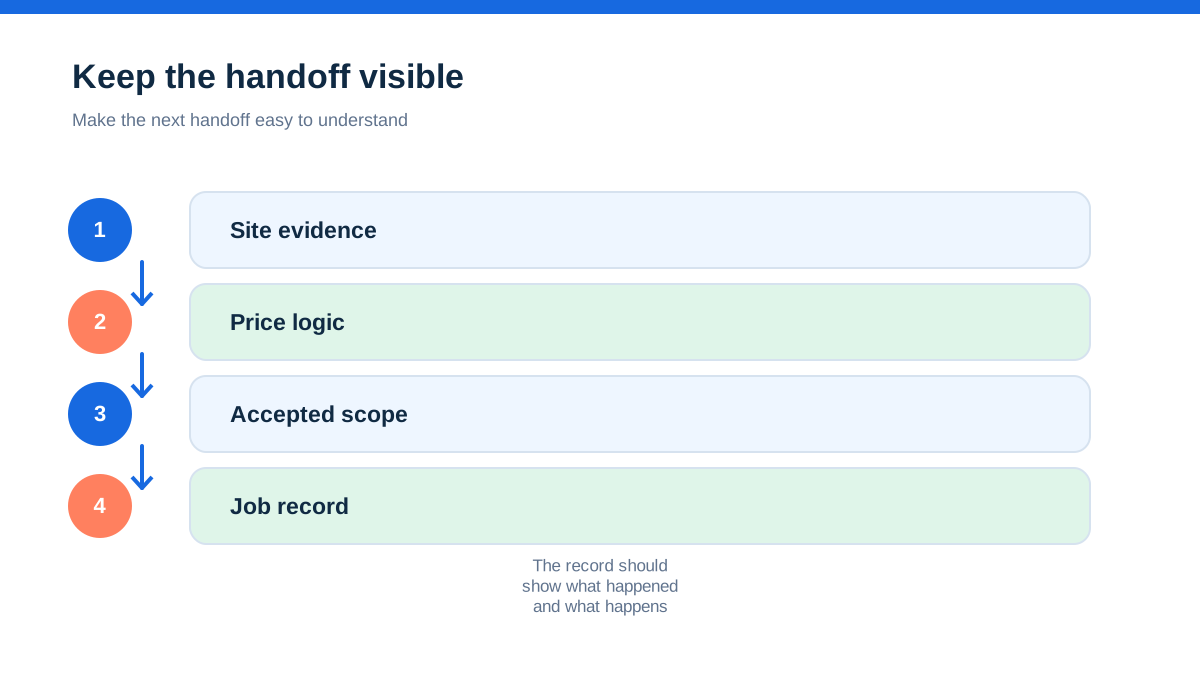
A quote fails when the accepted scope has to be rebuilt as a job. The hand-off should preserve the customer, site, materials, notes and commercial assumptions.
Create a quote, accept it, schedule a visit and open the resulting job as a different user if the trial allows. Look for four questions:
- What exactly did the customer accept?
- Which attachments and survey notes are visible?
- What remains to be ordered or confirmed?
- What can be invoiced now, and what depends on completion?
ServiceM8 describes a workflow that moves from quoting and invoicing into job cards, with bundles and job costing available in its feature material.[3] Tradify describes capturing enquiries, turning them into quotes, scheduling, tracking work and creating invoices in one product workflow.[7] Fergus presents an enquiry-to-invoice process in which costs and job information carry through to invoicing.[9]
These flows sound similar, but the practical difference is how much is copied and how much is linked. Ask for a live demonstration of the exact conversion in the plan you are considering. A feature listed on a marketing page may be an add-on, a higher tier or a separate module.
Test variations before you admire the template
Electrical work changes. A customer adds a socket, chooses different fittings, asks for a longer route or requests work outside the original scope. Your software must help you capture the change and obtain the right approval without confusing it with the original quote.
Use your sample job to create one variation. Add a material, labour and a reason. Send it through the customer approval route if available. Then open the job as the field worker and as the person who invoices. Check whether the variation is visibly approved, pending or rejected. Check whether the invoice can distinguish original work from extra work.
ServiceM8 presents quote options, online acceptance and customer questions through its proposal workflow.[3] Commusoft describes converting accepted quotes to jobs, using survey data and producing professional proposals, with a wider sales module for opportunity management.[17] Simpro positions estimating and quote progress reporting alongside job and project controls.[19][20]
Do not let a clever revision history hide a commercial question. Decide your own rule for work that cannot wait for formal approval, work that needs a written customer decision and work that requires a new survey. Then check whether the software supports that rule or merely stores a note after the fact.
Choose the right tool for the kind of electrician you are
There is no single best electrical quoting app because the work is too varied. Use the dominant quoting pattern to narrow the field.
For fast domestic and service quoting, test ServiceM8, Tradify or Fergus first. Their official material emphasises quotes, job records, scheduling, invoices, customer communication and trade workflows.[3][7][9][10] ServiceM8 is particularly worth testing if on-site quote and invoice creation, options, bundles and customer acceptance are central.[1][3] Tradify is worth testing if templates, imported price lists, quote options, reminders, scheduling and accounting sync fit your process.[6][7] Fergus is worth testing if supplier pricing, job costs, quote-to-invoice continuity and UK trade workflows are central.[8][9][11]
For a small team with a growing sales pipeline, look at whether the product tracks enquiries, assigns ownership, preserves survey information and reports on open quotes. Jobber’s official material includes lead management, quote templates, signature approvals, reminders, field documentation and customer payment routes.[12] Confirm UK availability, user allowances, plan boundaries and current currency before treating the displayed offer as a budget.
For survey-led, commercial or more complex work, compare Commusoft and Simpro with the lighter trade apps. Commusoft’s quoting material is built around survey data, forms, photos, notes, e-signatures, multi-option proposals and quote-to-job conversion.[17][18] Simpro’s estimating material focuses on take-offs, pre-builds, catalogue items, labour and material pricing, quote progress and margin visibility, with its electrical page covering the wider field-service workflow.[19][20]
For accounting-led quoting, Xero can be suitable when the main need is professional quotes, acceptance, conversion to invoices, payment and financial reconciliation rather than field-service control. Xero’s UK pages describe quote templates, online acceptance, quote-to-invoice conversion, online invoicing, payment options and reminders.[14][15] If you need site surveys, complex variations, customer assets, field forms or team dispatch, test whether a separate job system is needed.
The most important distinction is not brand size. It is whether the quoting model matches the work you sell.
Treat electrical documentation as a workflow question
Electrical contractors often need to manage more than a price. Depending on the work and the applicable rules, customers, schemes, main contractors or other parties may expect records, test information, certificates, photographs, forms or hand-over material. Requirements can vary by job, location, contract and professional context.
Do not choose software because a provider uses the word “compliance” on a landing page. Ask what the specific feature produces, where it is stored, who can complete it, whether it works offline, whether it can be amended, and whether the output is accepted by the people who need it. Confirm current requirements through the relevant official or scheme sources for your work. This article is about choosing a quoting workflow, not giving electrical or legal advice.
Commusoft’s electrical contractor page describes digital forms and safety or compliance-related records in its electrical workflow.[18] Fergus’s pricing material lists forms, checklists and certificates among plan features.[8] ServiceM8’s electrician page describes job management, scheduling, quoting, invoicing and a mobile workflow for electricians.[5] These pages can identify questions for a demo, but they do not establish that a document meets every requirement in every situation.
Run the electrical quote rehearsal
Use one anonymised project that is representative of the work you want the software to support. A small installation with a survey, material choices, an option, a variation and an invoice is more revealing than a perfect demo quote.
Record the enquiry. Enter the customer, site, brief, access note and requested timing. Add one uncertainty that needs confirmation. See whether the record remains distinct from a booked job.
Complete the survey. Add photos, notes, measurements or other information you routinely use. Record what is known, what is assumed and what must be checked. Try this on the phone or tablet used on site.
Build the base proposal. Add labour, materials, exclusions, customer-facing wording and any relevant internal cost fields. Check whether the system can use price lists or standard items without hiding the underlying assumptions.
Add customer choices. Create a base option and at least one alternative. Open the proposal as a customer. Confirm that the choices are understandable and that the acceptance path does not require a confusing email exchange.
Accept one option. Convert it into a job. Open the accepted record without referring to the original draft. Confirm that the scope, option, notes, photographs and commercial values remain clear.
Change the work. Add a variation caused by a new customer request or a site discovery. Test approval, status, history and invoice treatment. Check what happens to the original price and acceptance record.
Complete the field record. Add work completed, materials used, photos, customer comments and the outstanding action. Test reconnection if the site may have poor signal.
Create the invoice. Check whether it is generated from the accepted work, whether the variation is visible, whether payment terms and tax treatment are correct and whether the accounting connection creates duplicate data.
Find the audit trail. Ask another person to locate the quote version, acceptance, variation, attachments and completion record. Time the search. A system that depends on the original estimator is a risk for a growing contractor.
Repeat with a second platform. Use the same project and the same test data. Compare duplicate typing, missing information, customer-facing corrections, unclear plan limits and the time between quote acceptance and a ready-to-invoice job.
This rehearsal is not a certification test and it does not prove that software is suitable for a particular installation. It is a way to make the operational trade-off visible before you pay.
Price the quoting workflow honestly
Official pricing pages are useful but changeable. A plan may be shown in pounds, dollars or another currency. It may be before VAT, discounted for an introductory period, priced per user, tied to an annual contract or split across core software and add-ons. Payments, SMS, forms, certificates, estimating modules, accounting links and extra seats may affect the real cost.
Tradify’s current official page displays per-user prices in US dollars and places features into Lite, Pro, Plus and Custom plans.[6] Fergus’s UK page presents per-user plans and additional user types, with feature tiers and add-ons shown on the page.[8] Commusoft describes tiered plans with contracted, monthly rolling and daily licences.[16] Simpro’s estimating page directs buyers towards a demo and does not present one universal public price in the extracted page.[19]
Create a quote for the software itself using these lines:
- subscription and billing frequency;
- users who create, review or update quotes;
- estimating, survey, forms or certificate modules;
- SMS, payment and online acceptance charges;
- accounting integration and existing finance software;
- onboarding, import and training;
- contract term, renewal and cancellation;
- price after any introductory offer;
- data export and access if you leave.
Then compare that total with the cost of the quoting problem you are trying to fix. Do not invent a return on investment. Measure your current time spent rebuilding surveys, chasing approvals, correcting scope, finding accepted versions and converting completed work into invoices. A faster PDF is not a saving if it creates more site disputes.
Make the shortlist earn its place
Keep three candidates if possible: one focused trade app, one option with stronger survey or team controls and one accounting-led alternative if your quoting is simple. Use the same rehearsal for each.
Choose the system that protects the accepted promise
For electrical contractors, the best quoting software is the one that protects the accepted promise from enquiry through invoice. It should make survey evidence easy to capture, keep labour and material assumptions visible, present options clearly, preserve customer acceptance, handle changes without erasing the original scope and give the field and office teams the same record.
ServiceM8 is a strong candidate to test for mobile-first quoting, options, bundles, customer acceptance and on-site invoicing.[1][3][5] Tradify is worth testing for a trade-focused quote-to-job workflow with templates, price lists, options, reminders, scheduling and accounting connections.[6][7] Fergus is relevant where UK trade workflows, supplier pricing, estimating, job costs and profit visibility are central.[8][9][10][11] Commusoft and Simpro deserve comparison when surveys, forms, documents, multi-option proposals, detailed estimating or larger operational control justify a heavier platform.[16][17][18][19][20] Xero can be a sensible finance-led quoting choice for simpler work, but its official pages describe accounting and quote-to-invoice functions rather than a complete electrical field-service record.[14][15]
Run the rehearsal with a difficult but ordinary project, confirm the current offer and keep the accepted scope accessible.
A quote is not finished when the customer sees a PDF. It is finished when the person doing the work can deliver what was priced, the customer can see what was agreed and the business can explain where the money went. Choose software that makes that chain easier to preserve.
- [1] (11 October 2026)
- [3] (11 October 2026)
- [5] (11 October 2026)
- [6] (11 October 2026)
- [7] (11 October 2026)
- [8] (11 October 2026)
- [9] (11 October 2026)
- [10] (11 October 2026)
- [11] (11 October 2026)
- [12] (11 October 2026)
- [14] (11 October 2026)
- [15] (11 October 2026)
- [16] (11 October 2026)
- [17] (11 October 2026)
- [18] (11 October 2026)
- [19] (11 October 2026)
- [20] (11 October 2026)
Affiliate status: no affiliate links are used on this page. Provider links are direct sources only, pending programme approval.