Drafted for review. Last source review: 11 October 2026. No affiliate links are used in this article.
For: UK sole traders, limited companies and small trade teams managing invoices, suppliers, wages and uneven project timing Last reviewed: 11 October 2026 Editorial status: Draft only. No affiliate links. This is operational guidance, not tax advice.
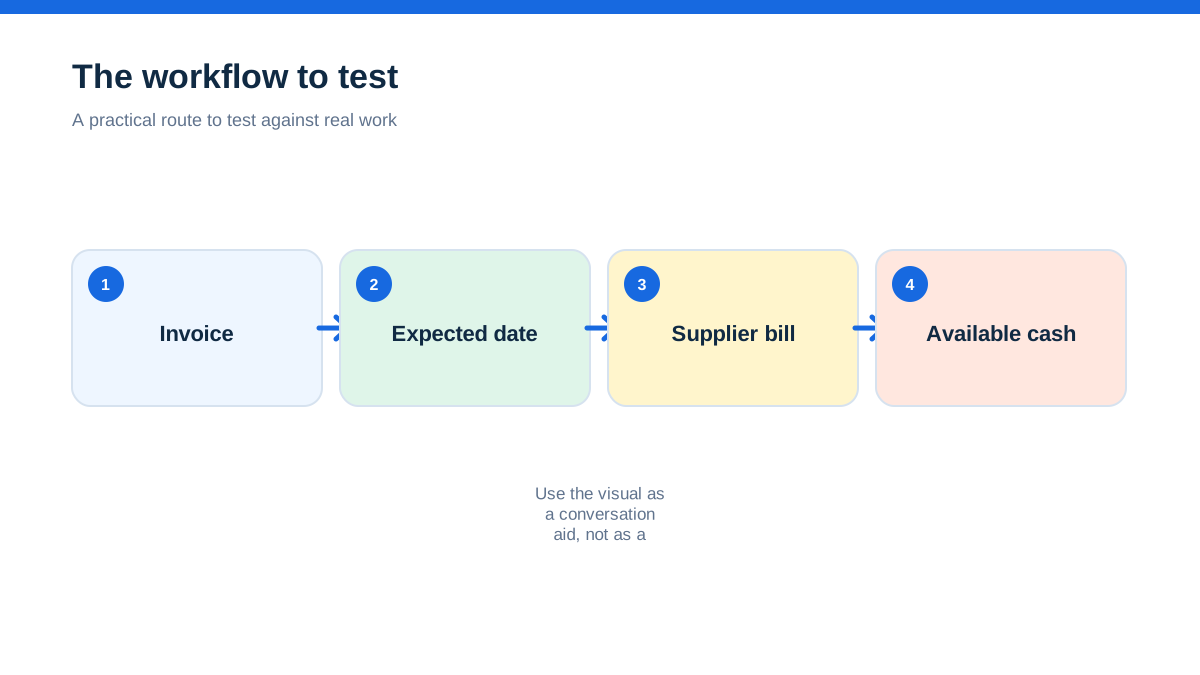
A joiner wins a £12,000 refurbishment and feels relieved. The deposit arrives, the materials are ordered and two subcontractors are booked. On paper, the job is profitable. In the bank account, the picture is less comfortable. The supplier wants payment before delivery, the customer will pay the second stage after inspection, the van lease is due next week and VAT or payroll money is sitting in the same account as the working cash.
That is why a small trade business needs more than an accounting dashboard that reports yesterday. It needs a forecast that turns jobs, invoices, bills and expected payment dates into a view of what may be available on a particular Friday.
The aha is this: cashflow software does not create cash. It creates an earlier point at which you can change a decision. You can chase an overdue invoice before ordering stock, move a non-essential purchase, negotiate a supplier date or decline a job that would overload the business. A forecast is valuable because it gives you time to act, not because its line graph looks reassuring.
This guide is about using cashflow software with job-management and accounting records. It does not repeat TradeJobGuide's MTD and VAT guide. Cash planning is not the same as tax compliance, profit measurement or a promise that money will arrive. Use current HMRC and GOV.UK guidance for obligations, and ask an accountant or adviser about your structure, accounting method, VAT position, payroll, CIS and borrowing.
The Friday afternoon that exposed a profitable problem
A trade owner usually knows the bank balance. The harder question is what that balance has already promised to do. A supplier bill may not be paid yet, but the materials are committed. A progress invoice may have been issued, but the customer has not approved the work. A wage run may be predictable, while a final payment is not.

A simple forecast brings those commitments into one view. The basic logic is opening cash plus money expected in, less money expected out, resulting in a projected balance. Xero describes cashflow forecasting in those terms and says its tools can show invoices due, bills to pay, expected payment dates and scenario adjustments.[6] FreeAgent describes a 90-day dashboard that uses bank balance, invoices, bills and tax liabilities, with manual events that can test scenarios.[7]
The forecast is not an oracle. It is a model built from records and assumptions. If expected payment dates are unrealistic, the model can be precise and still be wrong. If a known materials order is missing, the model can be optimistic. Treat every forecast line as a statement that needs an owner and a reason.
Cash is not profit, and neither is the bank balance the whole story
A business can be profitable and short of cash. It can invoice a large amount without receiving it. It can have money in the bank that is already needed for wages, tax, supplier bills, loan payments or customer deposits. It can also have a temporary cash surplus while future work is weak.
Cashflow software helps with timing. It does not replace a profit and loss report, balance sheet, job margin review or tax calculation. Xero's accounting material presents bank feeds, invoicing, reconciliation and VAT returns as distinct functions, rather than one measure of business health.[5] Sage describes cash reports alongside other financial reports and highlights views of money in and out, debtors, creditors, unreconciled transactions and account detail.[9]
Use separate questions:
- Cashflow: will the bank and cash accounts cover expected payments when they fall due?
- Profitability: are jobs and the business earning more than their costs over the relevant period?
- Liquidity: can the business meet near-term obligations without damaging its operation?
- Compliance: are records, returns, deductions and payments being handled as the law requires?
- Capacity: can the team deliver the work without taking on too many commitments?
One piece of software may display several of these. That does not make them interchangeable.
The forecast only knows the jobs you have described
A job-management system can contain the operational information that makes a forecast more useful: approved quotes, planned start dates, material requirements, labour time, staged invoices and expected completion. But an accepted quote is not the same as a bank receipt.
Take a kitchen installation. The job record may show a £6,000 quote, a £2,000 deposit and a £4,000 balance after completion. The cash forecast should not automatically treat the £4,000 as arriving on the completion date if the customer's contract allows inspection, retention or a longer payment term. The materials order may need to be paid before the deposit clears. The forecast must represent the timing and confidence of each event, not merely repeat the quote total.
Create a small set of forecast categories that reflect how your business actually works:
- confirmed cash received or scheduled under a clear agreement
- invoice issued and due
- work approved but not yet invoiced
- quote accepted but start date or scope still uncertain
- recurring operating costs
- job-specific purchases and subcontractor commitments
- tax, payroll, finance and owner-payment reserves
- one-off decisions such as a van, tool or recruitment purchase
If the software cannot distinguish those categories, keep the distinction in a supporting review sheet or notes field. Do not hide uncertainty in one blended total.
A 30-day view is different from a six-month decision
Short forecasts help answer urgent questions: can the business pay the supplier on Tuesday, and which invoices need attention today? Longer views help with decisions such as taking on an apprentice, replacing a van, hiring a second team or accepting a seasonal project.
The right horizon depends on the business. A small repair firm with frequent card payments may need a tight daily or weekly view. A building contractor with staged invoices and long supplier commitments may need several months. FreeAgent's cashflow feature uses a 90-day view and allows manual scenario events.[7][8] Xero describes cashflow views that can extend to 180 days and lets users adjust projections for scenarios such as a late payment or major purchase.[6] Sage's UK reporting page describes cashflow statements and forecasts, with detailed reports and export options.[9]
Do not compare forecast horizons as if a longer number is automatically better. A 180-day projection with stale invoice dates may be less useful than a careful 30-day review. Match the horizon to the decision, then label the assumptions that become weaker further out.
A practical rhythm is:
- daily glance at bank position during a busy billing period
- weekly review of the near-term forecast and overdue invoices
- monthly comparison of forecast against actual cash movement
- quarterly review of recurring costs, pricing, capacity and large commitments
These are management habits, not legal filing rules. The business can change the frequency when its risk changes.
The calendar matters more than the dashboard colour
A green or red indicator can attract attention, but trade cash problems usually begin as dates. The supplier's payment terms, the invoice due date, the payroll run, the finance debit, the tax payment and the materials delivery all sit on a calendar.
Write the expected date beside every material inflow and outflow. If the date is unknown, use a range or conservative assumption rather than inventing confidence. A customer who normally pays in 21 days may pay in 35 when a project is disputed. A supplier who normally gives 30 days may require payment on order after a credit review. Your forecast should show the difference between contractual timing and hopeful timing.
GOV.UK says a business can generally set its own payment terms. It also explains that, where a payment date is not agreed, a business payment can become late 30 days after the invoice or supply, subject to the published rules, and that agreed terms for business transactions are usually within 60 days unless a longer period is fair. Statutory interest and recovery costs may be available in qualifying circumstances.[10] That guidance does not mean every late invoice should be charged interest immediately. Check the contract, customer type and current rules before acting.
The operational response is simpler: record agreed terms before the job starts, put the due date on the invoice, and make chasing an ordinary part of the workflow rather than an emotional event.
The forecast can tell you which invoice deserves attention
A long list of unpaid invoices is not a collection strategy. A cash forecast can help prioritise by asking which overdue invoice changes the bank position soonest, which customer has a known dispute, which invoice is missing information and which payment would release a supplier or payroll decision.
FreeAgent says its cashflow dashboard can show incoming items, highlight shortfall predictions, suggest actions and allow invoice reminders from the cashflow area.[7][8] That is a useful operational pattern even if your chosen software works differently. The important point is to connect the forecast to a human action.
For each overdue invoice, record:
- customer and contact responsible for approval
- amount and original due date
- whether the invoice is disputed, incomplete or simply unpaid
- next contact date
- promised payment date, if any
- consequence if the payment slips again
- whether escalation or adviser input is needed
Do not assume a software reminder has resolved a commercial dispute. A reminder can send a message. Someone still needs to establish whether the work is accepted, the purchase order is valid, the invoice reached the right portal and the customer has authority to release payment.
Materials turn growth into a cash commitment
Trade businesses often feel cash pressure when sales increase. More work can mean more stock, more fuel, more subcontractor hours and more deposits paid to suppliers before the customer pays the final invoice. A forecast makes that working-capital effect visible.
Before accepting a large job, create a job-specific cash view. Add the likely deposit, material orders, subcontractor payments, wages or extra hours, equipment hire, travel and staged receipts. Use a conservative collection date for customer receipts and a realistic payment date for costs. Compare the lowest projected balance with the minimum amount the business needs to operate safely.
This is not a reason to reject every job with an upfront cost. It is a reason to price and contract for the cash reality. Options might include a deposit, staged billing, materials paid in advance, a retention allowance, a credit arrangement with the supplier or a start date that does not overlap another cash-heavy project. The appropriate arrangement depends on the contract and customer.
The forecast should also record committed costs that have not yet been invoiced. Sage's reporting material highlights the value of debtor and creditor views, as well as unreconciled transactions.[9] A purchase order, email confirmation or approved subcontractor quote may need to be visible to management even before it becomes a posted bill.
Reserve money that is not really free
The bank account may contain money that belongs to a future obligation. A limited company may need to keep company cash distinct from personal funds. A sole trader may still need to reserve money for a future tax bill. Payroll and CIS arrangements can create obligations with their own timing and records.
Treat reserves as labelled forecast lines, not vague anxiety. Create categories for payroll, tax, supplier deposits, loan or lease payments, insurance renewals and owner drawings or dividends where relevant. Do not assume the software knows the correct tax liability merely because it has a tax feature. The amount and timing should be checked against the business's current circumstances and adviser guidance.
GOV.UK says self-employed people must keep records of sales, income, expenses, VAT records where registered and PAYE records where they employ people.[17] It says limited companies must keep separate company finances and accounting records, including money received and spent, debts, assets, invoices and bank statements.[19] A forecast is a management view built from those records. It is not a replacement for the records.
If cash is moved between accounts, label the reason. A transfer to a tax reserve is not an expense. A director loan is not sales income. A customer deposit may not be earned revenue at the point it arrives. These distinctions require proper accounting treatment, not just a colour in a dashboard.
The forecast is only as good as reconciliation
When bank transactions are not reconciled, the forecast can be based on incomplete or duplicated information. A payment may be recorded in the invoice list but not matched to the bank. A supplier bill may be entered twice. A direct debit may have changed. A card payout may arrive net of fees.
Build a short reconciliation review into the forecast meeting. Compare the opening bank balance with the real account balance. Identify unreconciled transactions. Check that overdue invoices have realistic dates. Confirm that major bills and committed materials are present. Investigate unusual differences instead of adjusting the forecast to make the graph look right.
Xero describes bank feeds and reconciliation as tools to keep accounts and financial records aligned.[5] FreeAgent says its cashflow data updates from transactions in the account and can be exported for review.[8] The provider feature does not remove the need to understand what is included. FreeAgent's support guidance, for example, notes that the forecast includes selected bank balances and that users should exclude accounts such as loan accounts when they do not want them included in the calculated balance.[8]
Export a monthly copy of the forecast or management report. Store it with notes on major assumptions. If the business later asks why a purchase was delayed or why a job was accepted, the record should show the information available at the time.
The hands-on method: build a rolling 13-week trade forecast
A spreadsheet can be enough for a small firm, while integrated software can reduce data entry once the underlying records are clean. The method is the same.
Create 13 weekly columns. Put the real opening bank balance in week one. Add expected money in using three bands: received or highly certain, invoiced with a credible due date, and possible from approved work. Add money out for supplier bills, materials, wages, subcontractors, fuel, finance, insurance, rent, software and known tax or reserve transfers. Use the expected cash date, not the invoice date, wherever you are modelling liquidity.
For each line, include a confidence note. “Customer said Friday” is not the same as “payment received”. “Materials required” is not the same as “supplier invoice posted”. At the bottom, show the projected balance and the lowest balance in the period.
Then run four scenarios:
- the largest outstanding invoice arrives two weeks late
- a materials order costs 10% more than expected
- a planned van or tool purchase moves into the forecast
- one approved job starts later than expected
For each scenario, write the decision trigger. It might be “call the customer if no remittance advice by Wednesday”, “do not place the materials order until deposit clears”, or “delay the equipment purchase unless the minimum balance remains above the agreed reserve”. The trigger converts a chart into an operating decision.
At the following review, replace assumptions with actual receipts and payments. Do not hide a miss. Record why it happened and whether the assumption should change next time. After four or five cycles, the forecast should become more realistic because it learns the firm's payment patterns.
Provider features are useful, but limits still matter
Xero's UK cashflow material describes short-term projections, expected payment dates and scenario adjustments.[6] FreeAgent describes a 90-day forecast, suggested actions and CSV or PDF export, while its support guidance explains access levels and the data included.[7][8] Sage describes cashflow reports, forecasts, debtor and creditor views, unreconciled transaction reporting and export options.[9]
These are useful examples of feature types to look for, not a universal ranking. Check the current UK plan, user permissions, bank-feed coverage, forecast horizon, handling of overdue invoices, scenario tools, export format and support route. Also check whether job-management software can send approved jobs, staged invoices, payment status and committed costs into the accounting system without duplicate records.
Do not buy a forecast tool to solve a data ownership problem. If the team does not close jobs, issue invoices or enter bills consistently, a more sophisticated chart may simply make incomplete data look authoritative.
Compliance is a separate lane from cash planning
A forecast can include an estimated tax payment so the bank picture is less optimistic. It cannot decide whether a business must register, which return applies, whether a cost is allowable or whether a CIS deduction is correct. Those are compliance questions with their own source material and deadlines.
Likewise, software advertising may mention VAT, MTD, CIS or “tax ready” features. Those labels describe functionality and should be checked against the current provider documentation. They do not transfer responsibility for the business's records or declarations. Keep a visible note beside the forecast saying which figures are estimates and which have been confirmed by the bookkeeper or adviser.
For a limited company, GOV.UK's requirement to keep company and accounting records for the relevant retention period continues even if the forecast is generated automatically.[19] For a self-employed business, GOV.UK's record-keeping guidance covers the evidence needed to work out profit or loss and respond to HMRC questions.[17][18] Cashflow software should make that evidence easier to organise, not encourage the business to treat a forecast as the official record.
The calmest cash review asks three questions
A useful weekly review does not need a presentation. Ask three questions and record the answer:
- What cash is likely to arrive before the next review, and how confident are we?
- What cash must leave, including commitments not yet invoiced?
- What decision can we make now if the lowest projected balance is too low?
The answers should lead to action: issue a complete invoice, confirm a purchase order, chase an approver, move a non-essential payment, revise a job start, protect a reserve or speak to a lender or adviser before the problem becomes urgent.
That is the practical value of cashflow software for a small trade business. It connects the job calendar to the bank calendar. It does not remove commercial judgement, improve a weak contract by itself or guarantee that a customer pays. It gives the owner a shared, reviewable picture of what the business has promised and what it may be able to afford.

Affiliate status: no affiliate links are used on this page. Provider links are direct sources only, pending programme approval.