Drafted for review. Last source review: 11 October 2026. No affiliate links are used in this article.
For: UK construction contractors, trade businesses that pay subcontractors, and subcontractors trying to keep payment evidence organised Last reviewed: 11 October 2026 Editorial status: Draft only. No affiliate links. This is operational guidance, not tax advice.
At 7.15am on the first Monday after a busy month, a small building company owner opens the job app to review completed work. The dashboard shows every site, labour entry and supplier note. It does not show whether a new subcontractor was verified with HMRC, whether materials were excluded correctly from the deduction calculation, whether the payment and deduction statement was issued on time, or whether the monthly return is ready.
That gap matters. Job-management software is built to organise work. The Construction Industry Scheme, or CIS, is a tax process with defined roles, verification, deductions, statements, returns and records. A job record can provide useful evidence, but it cannot decide whether the scheme applies, whether someone is genuinely self-employed, or whether a particular cost should be excluded from a deduction.
The aha is this: CIS control begins before the payment screen. It begins when the business identifies the payer, the worker, the construction activity, the contract and the evidence needed to support the decision. Software helps only when those facts are captured in the right order and checked by someone who understands the limit of the automation.
This guide explains how to use job-management and accounting software around CIS without treating a feature label as a tax answer. The GOV.UK sources linked below are the authority for the current rules described here. Limits, rates, deadlines and examples can change, and the rules can depend on the work, parties and business structure. Speak to an accountant or tax adviser when the status, scope or treatment is uncertain.
The new subcontractor who existed only as a phone contact
A site manager may save a subcontractor's name and number in a phone, add the person to a job and assume the business can pay them at the end of the week. That is an operational record, not a CIS file.
GOV.UK says contractors must register for CIS if they pay subcontractors for construction work. It also says a business that does not do construction work can fall within the contractor definition if it has spent more than £3 million on construction in the relevant 12-month period. Subcontractors can register, but they do not have to, and deductions can be higher if they are not registered.[11]
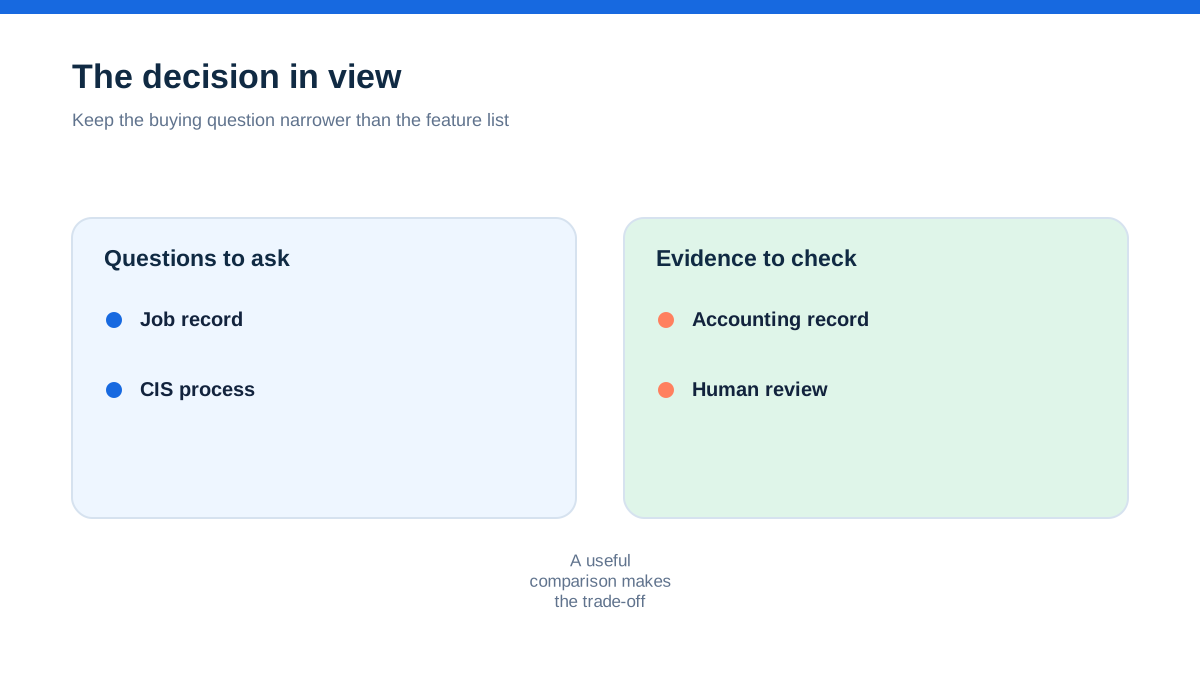
The first control is therefore classification. Is this business acting as a contractor, a subcontractor or both? Is the work within CIS? Is the payee a person or entity that needs verification? Has the business gathered the legal and tax identifiers needed for the check?
Create a supplier or subcontractor record with fields for legal name, trading name, UTR, National Insurance number or company registration details where relevant, address, contact, contract reference, work type and verification date. Restrict who can edit the identifiers. A job app may hold the contact details, while accounting or CIS software holds the compliance record. Connect the records with a stable supplier ID rather than relying on a display name.
Do not enter a guessed UTR to make a form complete. A failed or mismatched verification is a reason to pause and resolve the details, not a reason to press ahead with a payment.
The job that looked like construction but needed a closer look
CIS does not apply to every activity that happens near a building. GOV.UK says the scheme covers most construction work on permanent or temporary buildings and structures, and civil engineering work such as roads and bridges. It lists examples including site preparation, demolition, building, alterations, repairs, decorating and installing heating, lighting, power, water and ventilation systems.[11]
The same page lists exceptions, including architecture and surveying, scaffolding hire without labour, carpet fitting, making construction materials, delivering materials and work clearly not construction such as running a canteen or site facilities.[11] The detailed guidance is more extensive than this summary.
A job-management system may describe a task as “site support”, “materials”, “installation” or “finishing”. Those labels are not a legal decision. The contract, actual work and payment arrangement matter. If a job includes several activities, separate the description and ask whether any element is inside or outside the scheme. Keep the reasoning and supporting documents with the job record.
This is an important limit: software can apply a rule you configured, but it cannot inspect the real work or resolve a boundary question on its own. A check box marked “CIS job” is an internal instruction, not HMRC approval.
The employment question that software cannot answer
A contractor's monthly CIS return includes a declaration that the listed subcontractors are not employees. GOV.UK warns that giving the wrong employment status on the return can lead to a penalty of up to £3,000.[14]
That makes status a high-risk control. A person may call themselves self-employed, work through a company or appear in a job app as a subcontractor, but the label does not decide employment status. Control over work, substitution, mutual obligations and the wider facts may need to be assessed. A job system can record who attended site and what work was completed. It cannot turn an uncertain employment relationship into a correct CIS classification.
Set a status review before the first payment. Record the contract, scope, agreed basis of payment, who controls the work, whether substitution is possible in practice and what professional advice was obtained. Do not copy a previous worker's status to a new person because the trade is the same. Escalate changes such as regular hours, direct supervision, exclusive service or a shift from project work to an ongoing role.
The accounting connection should receive the status decision and its evidence, not manufacture the decision from a supplier category. If the facts point toward employment, pause the CIS workflow and seek advice about PAYE and employment obligations.
Verification comes before the first payment
GOV.UK says a contractor must verify a new subcontractor with HMRC before paying them. HMRC tells the contractor whether the subcontractor is registered for CIS and what deduction rate to use, or whether payment can be made without deductions. The contractor may also need to verify a previous subcontractor again if they were not included on a CIS return in the current or previous two tax years.[12]
Verification can be done through the free HMRC CIS online service or commercial CIS software. GOV.UK says a contractor verifying a subcontractor needs the relevant business and tax details, and that the information supplied must exactly match what the subcontractor used to register with HMRC.[12]
Job-management software can make verification easier to schedule. Add a “verification required” status that blocks approval of the first payment. Store the verification date, reference and rate returned by HMRC. If the provider connection does not support those fields, keep a linked CIS register and attach the evidence to the accounting supplier record.
Do not treat an old rate as permanent. A subcontractor's status can change. Do not infer a rate from the subcontractor's invoice, previous job or another contractor's treatment. The rate comes from the HMRC verification outcome and the rules that apply to the payment.
The invoice that mixed labour, VAT and materials
CIS calculations require a clear view of the gross payment and allowable exclusions. GOV.UK says the deduction rates are 20% for registered subcontractors, 30% for unregistered subcontractors and 0% where the subcontractor has gross payment status.[13] Those rates are not a permission to choose a percentage. They are applied according to the HMRC verification outcome and published rules.
The same GOV.UK guidance says the contractor starts with the gross invoice amount, excluding VAT, then takes away specified amounts such as VAT, certain consumable stores, qualifying fuel, plant hire and materials that the subcontractor paid for directly, before applying the CIS rate.[13] The precise conditions and exceptions matter.
This is where a job app's line items become valuable. Ask subcontractors to separate labour, materials, plant hire, fuel and VAT on invoices, and require evidence for material costs paid directly where appropriate. Map those fields into the accounting or CIS system without silently netting them into one “subcontractor cost” line.
The limit is essential: a software rule cannot make a cost deductible merely because the line is called materials. A contractor may need receipts, contract information and a judgement about whether the item fits the published categories. If the invoice is unclear, place it in an exception queue rather than allowing an automatic payment.
A payment screen is not a deduction statement
The net amount paid to the subcontractor and the evidence explaining it are connected but not identical. GOV.UK says that where a deduction is made, the contractor must give the subcontractor a payment and deduction statement within 14 days of the end of the tax month.[13]
The statement should make the payment understandable. It should not be a generic remittance advice with a CIS label added. The contractor should be able to trace the statement to the gross invoice, VAT and allowable exclusions, deduction rate, deduction amount and net payment.
Use a single payment reference across the job record, supplier invoice, accounting entry, bank payment and statement. If the software creates a statement automatically, inspect the first few examples against the GOV.UK requirements and retain a copy in a retrievable format. Confirm that electronic delivery is suitable for the parties and that the subcontractor can store or print the statement.
If a payment is corrected after a statement has been issued, do not simply overwrite the original file. Record the correction, reason, date and replacement statement. Ask an adviser how the corresponding return and accounting records should be amended.
The monthly return is a calendar commitment
GOV.UK says contractors must tell HMRC each month about payments made to subcontractors through a monthly return. Returns can be filed using the HMRC CIS online service or some commercial CIS software.[14] The page says returns are due by the 19th of every month following the last tax month. It also explains that a nil return or inactivity request may be needed where no payments are made, depending on the circumstances.[14]
Put the tax-month calendar in the job-management system only as a reminder. The authoritative filing status should live with the CIS or accounting workflow. A completed job is not evidence that a return has been filed, and a green job dashboard is not an HMRC receipt.
Create a monthly close record with:
- subcontractors paid in the tax month
- new and re-verifications completed
- gross amounts excluding VAT
- qualifying exclusions and supporting evidence
- rate returned by HMRC
- deductions made
- net payments
- statements issued and delivery status
- return prepared, submitted and receipt retained
- payments due to HMRC and confirmation of payment
- exceptions, corrections and adviser questions
GOV.UK states that late CIS returns can attract penalties, including an initial £100 penalty and further penalties under the published rules.[14] The amount and circumstances need to be checked against current HMRC guidance. Software reminders can reduce the chance of forgetting, but they do not prove that the figures are correct.
The site record and the tax record finally met
A job file often contains the evidence that explains why a payment exists: purchase order, scope, timesheet, completion sign-off, variation, material receipts, photos and correspondence. A CIS record needs payment and deduction information. Joining the two helps a reviewer understand the transaction without hunting through email.
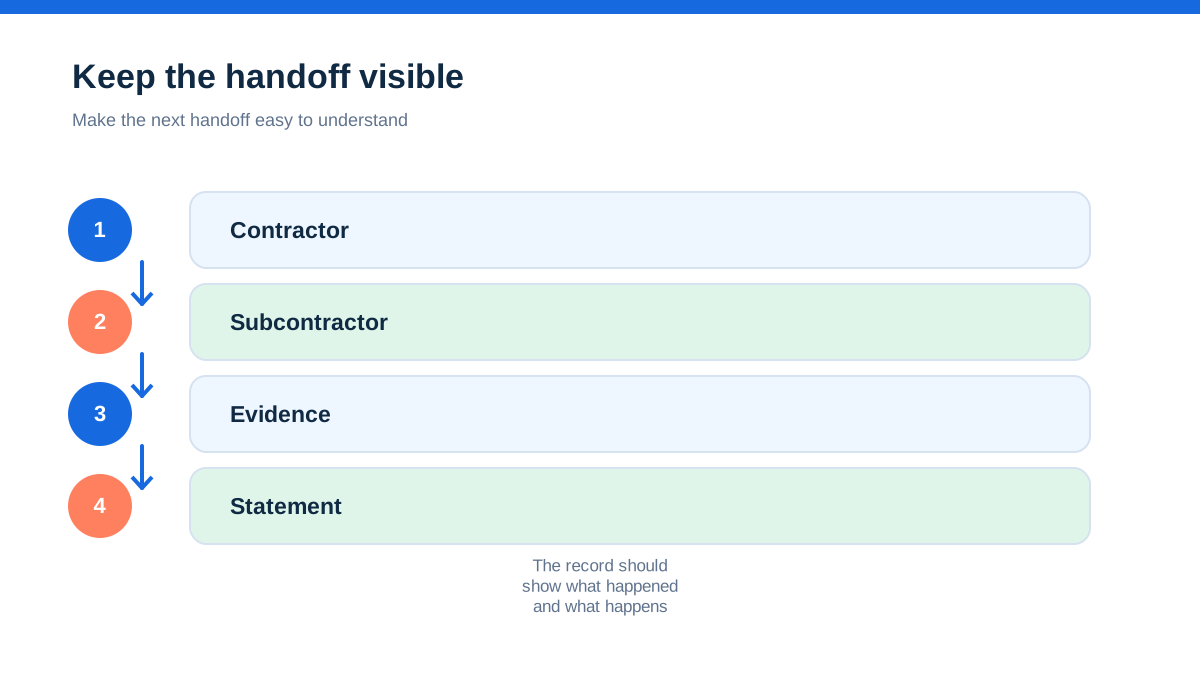
Create a job reference that appears on the subcontractor invoice, the purchase record, the payment, the statement and the monthly return working paper. Keep customer-sensitive site information separate from the tax record where access should be limited. Give site managers enough access to record work and upload evidence, but do not give every user permission to change UTRs, rates or deduction calculations.
GOV.UK says CIS contractors must keep records of the gross amount of each subcontractor payment excluding VAT, deductions made and, where deductions were made, relevant material costs excluding VAT. It says these records must be kept for at least three years after the end of the tax year they relate to, and HMRC can ask to see them. It also warns of a possible fine of up to £3,000 where records cannot be shown when requested.[15]
That is a CIS-specific minimum described by the source. Other business, tax, payroll, company or contractual retention requirements may be longer. A safe archive policy should follow the longest applicable requirement after adviser review, not delete files automatically at the first minimum date.
The limited company and sole trader do not use deductions in the same way
For a subcontractor, a CIS deduction is not simply a discount on income. GOV.UK says deductions are advance payments towards tax, and the way they are reported differs depending on whether the subcontractor is a sole trader or partner, or a limited company.[16]
A sole trader or partner records total pay before deductions as income and the deductions as CIS deductions on the Self Assessment return. A limited company uses its payroll scheme and reports the deductions through the relevant Employer Payment Summary process. GOV.UK says a company must not use its Corporation Tax return to pay tax with CIS deductions.[16]
A job-management system may display net pay because that is what reached the bank. The subcontractor's accounting records still need the gross amount, deductions and statements. Make the gross and deduction fields visible in the supplier or payment workflow. If the system only stores a net payment, it is not a complete CIS record by itself.
This is another explicit limit: the software's “CIS paid” report may support the calculation, but it does not tell a subcontractor how to complete every tax return or payroll submission. The entity type and reporting route must be confirmed.
The hands-on method: rehearse one subcontractor payment end to end
Choose one ordinary subcontractor payment and map it from contract to archive. Use a test record where the software allows it, or rehearse with a real transaction under adviser supervision before making the workflow standard.
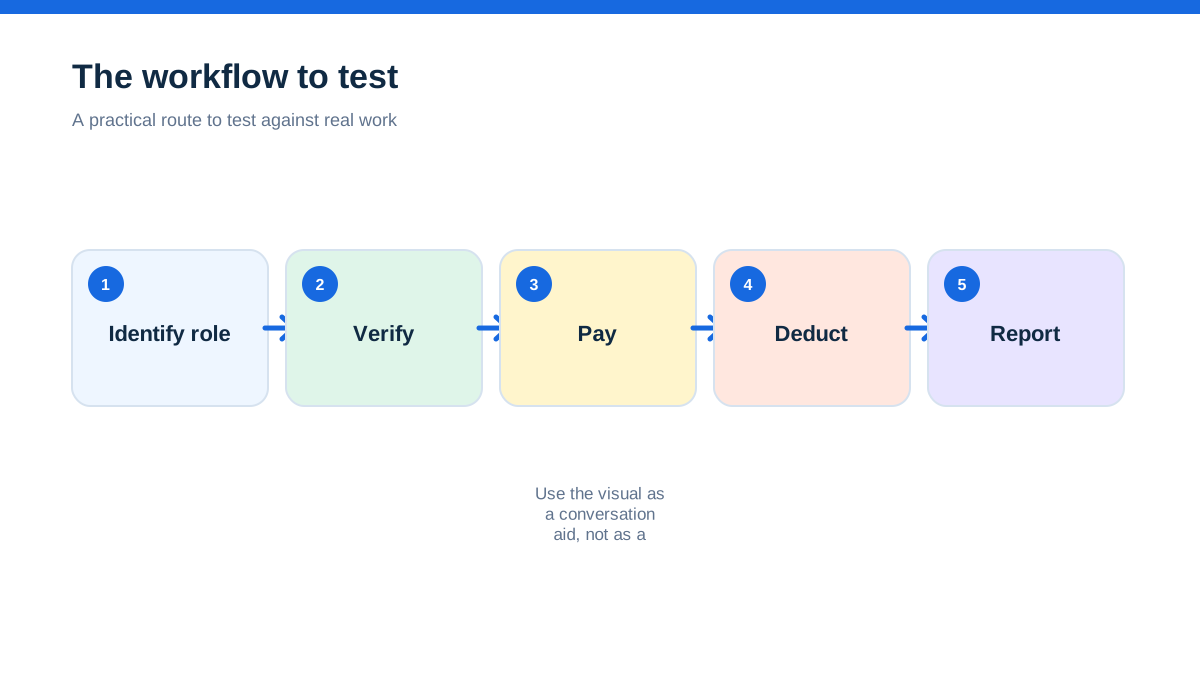
Record the contract and actual work. Identify why the activity is or is not within CIS. Confirm the contractor and subcontractor roles. Capture the legal and tax identifiers. Complete or review HMRC verification before payment. Store the verification result and rate. Ask for an invoice that separates gross labour, VAT, materials and other relevant lines. Check evidence for materials paid for directly. Apply the returned rate to the correct base. Produce the payment and deduction statement. Match the net payment to the bank. Include the payment in the correct monthly return. Save the submission confirmation and make the record retrievable by job reference.
Then introduce controlled exceptions:
- the UTR does not match the subcontractor's record
- a materials receipt is missing
- the subcontractor's rate has changed
- the invoice covers both CIS and non-CIS work
- the payment is corrected after the statement was issued
- no subcontractor payments are made in the following tax month
For each exception, write who can pause the payment, who can make a judgement, what evidence is required and how the correction reaches the return. If the answer is “the software will handle it”, the control is incomplete.
What provider feature labels can and cannot mean
Accounting providers advertise CIS functionality in different ways. Xero's UK accounting pages describe automated subcontractor CIS calculations and reports on listed plans.[5] Sage's UK reporting and product material describes managing and submitting CIS on a relevant plan.[9] Commercial CIS software may support HMRC verification and monthly returns, while job software may handle job costs, supplier invoices and approvals.
Treat those as feature claims to check, not legal conclusions. Ask whether the product supports the UK scheme, whether the relevant feature is in the current plan, what data it needs, whether it records verification references, how it handles material exclusions, whether it produces payment and deduction statements, how corrections work and whether it can file or only prepare a return.
Also check whether the job-management connection transfers the data needed for CIS or only sends a total supplier bill. A total may be enough for management reporting but not enough for a deduction audit. Ask for a demonstration using a mixed invoice, a material receipt, a refund and a corrected payment. Do not rely on a generic integration badge.
Records need a home after the software changes
Trade businesses change platforms, accountants, banks and job systems. Before cancelling a subscription, export subcontractor records, verification results, invoices, receipts, payment and deduction statements, return working papers, filing confirmations and correction history. Test that the exported files open and can be searched by subcontractor, job and tax month.
GOV.UK says self-employed businesses must keep accurate records of income, expenses and supporting proof.[17] It says self-employed records generally need to be kept for at least five years after the relevant 31 January submission deadline.[18] Limited companies have separate responsibilities, including clear division between company and personal finances and retention of accounting records for six years from the end of the relevant financial year, subject to longer periods in some cases.[19]
Those are not all CIS rules, but they show why a narrow app retention setting should not be treated as the whole business archive. Keep records in a controlled location, limit access to personal and tax data, and document the handover when an adviser or payroll provider changes.
The safest CIS dashboard is allowed to say “pause”
A job system is successful when it helps work move. A CIS workflow is successful when it stops an unsupported payment, exposes a missing verification, highlights an unexplained materials claim and leaves a clear trail from work to return.
Build the workflow around decisions that remain human: scope, status, employment, verification, allowable exclusions, corrections and unusual payments. Use software for reminders, consistent fields, calculations, statement generation, approvals, document storage and filing support. Keep GOV.UK as the authority for the current scheme and use professional advice when the facts do not fit a simple case.
The goal is not a dashboard that says every subcontractor is complete. The goal is a record that another person can inspect and understand: who was paid, for which work, on what evidence, at what rate, with what deduction, when the statement was sent, how the return was filed and what remains uncertain.
Affiliate status: no affiliate links are used on this page. Provider links are direct sources only, pending programme approval.